

ROG Ally X20 vs Claw 8 vs Legion Go 2: 35% Faster (2026)

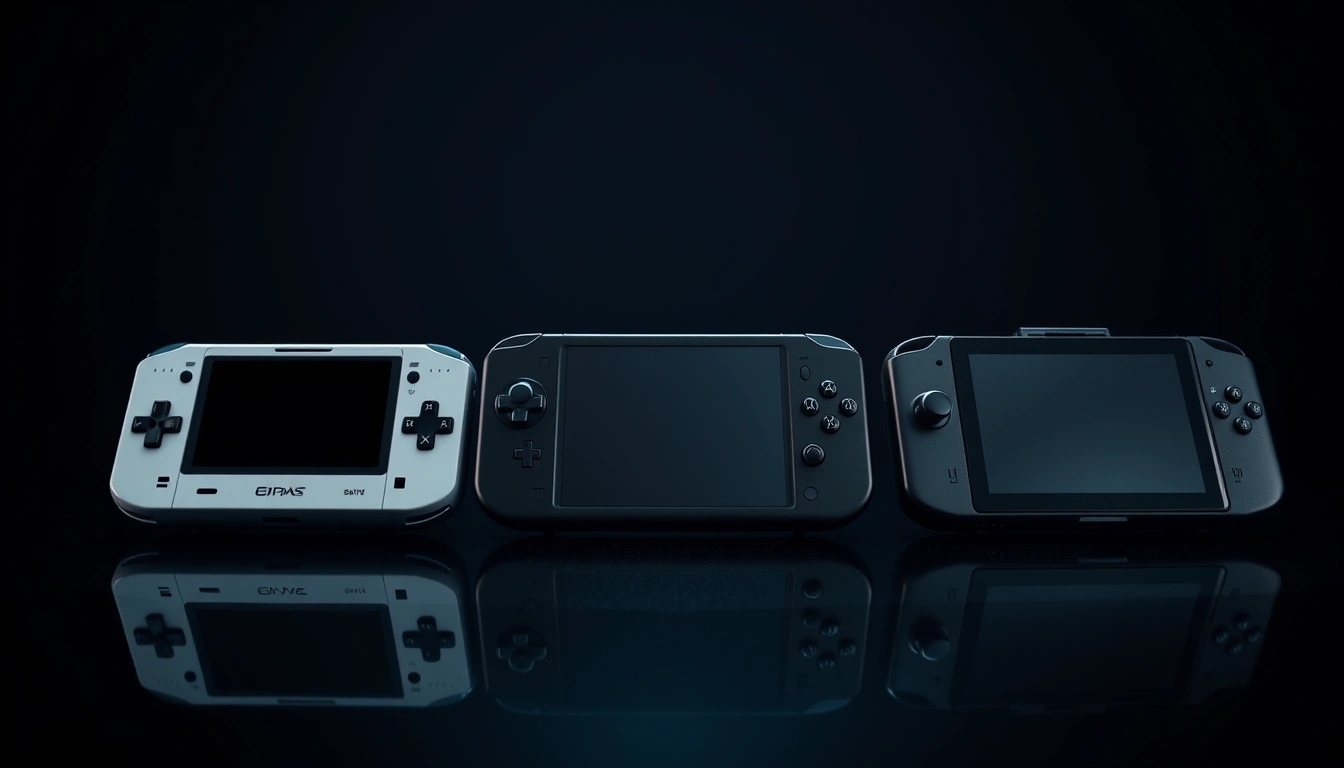
Three handheld gaming PCs are fighting for the same shelf space in Australia this October, and none of them are cheap. The ASUS ROG Xbox Ally X20 lands October 15 at an anniversary-edition price of AU$2,499. The MSI Claw 8 EX AI+ is already sitting on shelves at Mwave and JB Hi-Fi for upwards of AU$2,749. And the Lenovo Legion Go 2, with its detachable controllers and 144Hz OLED panel, carries an RRP of AU$1,899 while regularly dropping to AU$1,599 in local sales. If you are trying to work out which one is worth the spend, the honest answer is that each wins a different argument, and the losing arguments matter just as much as the winning ones.
This comparison pulls together the official specs, the Australian retail pricing as listed in October 2026, and benchmark testing from outlets including Stuff, IGN, TechRadar and a direct comparison test across all three machines. It is built for buyers who already know what a handheld gaming PC is and want the numbers that actually separate these three, not a beginner’s explainer. If you are instead weighing a handheld against a home console, see our separate Switch 2 vs Steam Deck vs ROG Ally X20 comparison for that angle.
Don't miss new tech stories on Google
Add TrendinTech Australia once in the Google app and our stories appear in your news suggestions.
Why Australia’s Handheld Gaming PC Market Got Crowded Fast
Eighteen months ago, the handheld gaming PC conversation in Australia was mostly Steam Deck versus the original ROG Ally. That is no longer the case. ASUS has split its Xbox-branded Ally line into a standard model and the X20, a 20th-anniversary edition built to mark two decades of the ROG brand with higher memory, a larger SSD and the same AMD Ryzen AI Z2 Extreme chip pushed slightly harder. MSI has moved off the Lunar Lake platform entirely and onto Intel’s newer Arc G3 Extreme silicon, codenamed Panther Lake, inside the Claw 8 EX AI+. Lenovo, meanwhile, has doubled down on the detachable-controller format with the Legion Go 2, giving it the largest screen and the fastest refresh rate of the three.
This buying wave fits into the broader 2026 AI chips and GPU pricing landscape, since the NPU and GPU silicon inside these handhelds comes from the same chip families powering laptops and desktops this year. What makes this round of handhelds different is that all three now ship with genuinely capable NPUs, larger batteries than their predecessors, and Windows 11 as the default operating system rather than a SteamOS fork. That matters for Australian buyers specifically, because local retail pricing on these machines sits well above US list prices once GST and import costs are factored in, which makes the gap between the cheapest and most expensive of the three a genuinely consequential decision rather than a rounding error.
It is also worth noting that this is not a three-way tie. The ROG Xbox Ally X20 is a limited anniversary run, the Claw 8 EX AI+ is MSI’s flagship for the Panther Lake generation, and the Legion Go 2 is the only one of the three built around a modular, detachable control scheme. Each of those design choices pulls the device toward a different kind of buyer, and that is really the core of this comparison.
ROG Xbox Ally X20 vs MSI Claw 8 EX AI+ vs Legion Go 2: Full Specs Table
Here is how the three handhelds stack up on paper. These are the officially listed specifications for the configurations sold in Australia as of October 2026.
| Specification | ROG Xbox Ally X20 | MSI Claw 8 EX AI+ | Lenovo Legion Go 2 |
|---|---|---|---|
| Processor | AMD Ryzen AI Z2 Extreme (8-core/16-thread) | Intel Arc G3 Extreme “Panther Lake” (14-core) | AMD Ryzen Z2 Extreme |
| Graphics | AMD Radeon integrated graphics | Intel Arc B390 (Xe3, 12 Xe-cores) | AMD Radeon integrated graphics |
| On-device NPU | Up to 50 TOPS | Up to 46 TOPS | Not separately rated |
| Memory | 24GB LPDDR5X | 32GB LPDDR5X (8,533 MT/s) | 32GB |
| Storage | 1TB SSD | 1TB SSD | 1TB SSD |
| Display size | 7.4-inch OLED | 8-inch IPS | 8.8-inch OLED |
| Resolution | 1920 x 1080 (FHD, 16:9) | 1920 x 1200 (WUXGA) | 1920 x 1200 (WUXGA) |
| Refresh rate | 120Hz fixed | 48–120Hz VRR | Up to 144Hz, VRR |
| Brightness | Not officially rated in AU listings | 500 nits | Not officially rated in AU listings |
| Battery | 80Wh | 80Wh | 74Wh |
| TDP range | Not publicly specified | Not publicly specified | 15–35W |
| Weight | 756g | 785g | 920g (with controllers) |
| Controllers | Fixed | Fixed | Detachable |
| Operating system | Windows 11 | Windows 11 | Windows 11 |
| Charger | USB-C PD | 65W USB-PD | Super Rapid Charge USB-C |
A few things jump out immediately. The Claw 8 EX AI+ carries the most RAM and the highest-rated NPU, which matters if you plan to run on-device AI features alongside games. The Legion Go 2 has the biggest and fastest screen by a clear margin, but it is also the heaviest device here once the controllers are attached. The ROG Xbox Ally X20 is the lightest of the three and the only one with a fixed 120Hz panel rather than a variable refresh range, which actually helps it feel more consistent during fast-paced competitive titles even though its peak number is lower than the Legion Go 2’s 144Hz.
Processor and GPU: AMD Ryzen AI Z2 Extreme vs Intel Arc B390
The silicon story here is genuinely interesting because it is not AMD versus AMD this time. Both the ROG Xbox Ally X20 and the Legion Go 2 run AMD’s Ryzen AI Z2 Extreme or Ryzen Z2 Extreme platform, the same general chip family that has powered most of the current handheld generation. The Claw 8 EX AI+ breaks from that pattern entirely, running Intel’s Arc G3 Extreme platform built on the Panther Lake architecture, paired with the new Arc B390 GPU using Intel’s Xe3 graphics architecture across 12 Xe-cores.
According to TechRadar’s testing, the Claw’s 3DMark scores came in 35 to 76 percent higher than the ASUS handheld it was benchmarked against, while CPU-bound performance stayed roughly comparable between the two platforms. That is a meaningful graphics lead for MSI, and it lines up with IGN’s separate finding that the Claw 8 EX AI+ is up to 47 percent faster in 3DMark Time Spy and up to 54 percent faster in Cyberpunk 2077 than MSI’s own previous-generation Claw, which ran Intel’s older Lunar Lake platform. In other words, Intel’s jump from Lunar Lake to Panther Lake inside this one product line is one of the bigger single-generation GPU gains in the current handheld market.
That graphics advantage comes with trade-offs. The Arc B390’s Xe3 architecture is newer and less mature in driver terms than AMD’s RDNA-based integrated graphics, which has several more years of handheld-specific driver tuning behind it. Reviewers have noted that Intel’s handheld graphics drivers still occasionally lag behind day-one patches for major releases, whereas AMD’s driver cadence for the Ally and Legion lines is more consistent. For a buyer who wants to install a game and have it run correctly without checking forums first, that maturity gap is worth weighing against the raw performance numbers.
The Legion Go 2’s Ryzen Z2 Extreme chip is tuned with a published TDP range of 15 to 35 watts, giving players a wide window to trade battery life for frame rate. Lenovo has also built its Legion Space software around that TDP slider more directly than ASUS or MSI have with their respective control panels, which is a small but real quality-of-life difference if you like fine-tuning power profiles per game rather than picking from three or four preset modes.
Display Shootout: 120Hz OLED vs 144Hz OLED vs VRR IPS
Screen choice is where these three handhelds diverge the most in actual day-to-day feel. The Legion Go 2’s 8.8-inch OLED panel is the largest and fastest here, running at up to 144Hz with variable refresh rate support and a WUXGA 1920×1200 resolution. Reviewers have consistently called it the best screen in this device class, and the extra real estate makes text and UI elements noticeably easier to read than on the smaller Ally X20 panel, which matters more than it sounds for anyone playing strategy or RPG titles with dense inventory screens.
The ROG Xbox Ally X20 uses a smaller 7.4-inch OLED panel at a fixed 1920×1080 resolution and 120Hz refresh rate. OLED still delivers the deep blacks and strong contrast that IPS panels cannot match, and 120Hz is plenty for the vast majority of games this hardware can actually push at a stable frame rate. The trade-off is screen size: at 7.4 inches, the Ally X20 is noticeably more compact in the hand, which some players prefer for portability and others find cramped for anything beyond short sessions.
The MSI Claw 8 EX AI+ is the odd one out, using an IPS panel rather than OLED. What it loses in contrast it partly makes up for with specs: an 8-inch WUXGA panel rated at 500 nits of brightness with a 48 to 120Hz variable refresh range. That brightness rating is the highest of the three devices in official listings, which makes the Claw the most usable of the three outdoors or under strong indoor lighting, even though its black levels will never match the OLED panels on the Ally X20 or Legion Go 2 in a dark room.
Battery Life and Thermal Behaviour
Battery capacity on paper tells only part of the story. The ROG Xbox Ally X20 and MSI Claw 8 EX AI+ both carry 80Wh batteries, while the Legion Go 2 sits slightly lower at 74Wh, which Lenovo describes as a 50.4 percent increase over the original Legion Go’s pack. On pure capacity, the Ally X20 and Claw are evenly matched and both ahead of the Legion Go 2, but actual runtime depends heavily on what you are doing with the device.
PCMag’s testing of the Claw 8 EX AI+ recorded 18 hours and 11 minutes of battery life under light productivity conditions, with a separate Procyon-based office workload test returning roughly 13 hours. Neither of those figures should be read as gaming battery life, since AAA titles draw dramatically more power than browsing or document editing. For intensive AAA gaming at a 25W TDP in Performance Mode, one Australian technology report measured the Legion Go 2 lasting approximately 2.5 hours, which is a useful real-world baseline for how quickly any of these handhelds drains once the GPU is working hard.
Here is roughly how the three TDP-driven power profiles compare at a glance, using the published and tested ranges where available.
Power profile (typical handheld TDP steps)
-------------------------------------------
Silent / Battery Saver   :  8–12W   ~5-6 hrs light gaming
Balanced                 : 15–20W   ~3-4 hrs AAA gaming
Performance              : 20–25W   ~2.5 hrs AAA gaming (Legion Go 2 measured)
Turbo / Max              : 30–35W   under 2 hrs, plugged-in use recommended

Note: Ally X20 and Claw 8 EX AI+ have not published exact TDP
ceilings; figures above reflect the Legion Go 2's confirmed
15-35W range and general handheld-class power behaviour.
On thermals, ASUS has made the biggest marketing noise, describing an updated ROG Intelligent Cooling system in the Ally X20 with a reworked internal airflow channel and higher-flow fans intended to sustain peak processor power for longer. MSI has not published a confirmed maximum sustained TDP for the Claw 8 EX AI+, and available reviews do not yet establish whether the Arc B390 can hold its higher clocks without running into acoustic or thermal limits during extended sessions. If sustained performance under load is your priority rather than peak benchmark numbers, this is an area worth checking against fresh reviews closer to your purchase date.
Benchmark Results: Cyberpunk 2077, Baldur’s Gate 3 and Shadow of the Tomb Raider
Benchmark numbers for handhelds are notoriously hard to compare cleanly, because resolution, upscaling mode, ray tracing settings and frame generation all shift the result dramatically. With that caveat firmly in place, here is what current testing shows across the three machines.
| Game / test | ROG Xbox Ally X20 | MSI Claw 8 EX AI+ | Lenovo Legion Go 2 |
|---|---|---|---|
| Cyberpunk 2077 (1080p/1200p, High, upscaling on) | ~45–60 FPS | ~60–80+ FPS | ~60–80 FPS |
| Cyberpunk 2077, Ultra preset, RT off | Not independently tested in available reviews | 33.3–97.3 FPS across power profiles | Not independently tested in available reviews |
| Cyberpunk 2077, RT Overdrive | Not independently tested in available reviews | 4.8–34.6 FPS across power profiles | Not independently tested in available reviews |
| Cyberpunk 2077, XeSS 3 + 4x Multi Frame Gen | Not applicable (different upscaler) | Up to 153 FPS (frame-generated) | Not applicable (different upscaler) |
| Baldur’s Gate 3, High settings | 60+ FPS | 60+ FPS | 60+ FPS (with FSR 2.2 frame generation) |
| Shadow of the Tomb Raider, RT off | Not independently tested in available reviews | 59–77 FPS across power profiles | Not independently tested in available reviews |
| 3DMark Time Spy, relative gain vs predecessor | Baseline comparison point | Up to 47% faster than prior-gen Claw | Not directly compared in available reviews |
The headline takeaway is that the Claw 8 EX AI+ posts the strongest raw graphics numbers of the three, which tracks with its newer Arc B390 GPU and its 35 to 76 percent 3DMark advantage reported by TechRadar. But those frame-generated numbers, like the 153 FPS figure using XeSS 3 with 4x Multi Frame Generation, are not directly comparable to a native or lightly-upscaled frame rate, and input latency on heavily frame-generated output is noticeably higher than the FPS counter alone suggests. For competitive or twitch-reaction games, the native-ish numbers in the 33 to 97 FPS range at different power profiles are the more honest picture of what the Claw delivers.
Baldur’s Gate 3 is the one title where all three handhelds land in roughly the same place: 60 or more frames per second at high settings, which suggests that for turn-based or less GPU-intensive RPGs, the choice between these three machines comes down to screen quality and comfort rather than raw performance. That is a useful signal if your library leans toward strategy, RPG or narrative titles rather than the latest ray-traced shooter.
Australian Pricing: What Each Handheld Actually Costs
Pricing is where this comparison gets genuinely messy, because Australian retailers are not aligned on numbers for any of these three devices. Here is the clearest picture available from local retail listings as of early October 2026.
| Handheld | Configuration | Listed AUD price | Retailer | Availability |
|---|---|---|---|---|
| ROG Xbox Ally X20 | 24GB / 1TB, anniversary edition | AU$2,499 | ASUS preorder | Releases October 15, 2026 |
| ROG Xbox Ally X (standard) | Standard tier | AU$1,599 | General retail | Available now |
| MSI Claw 8 EX AI+ | 32GB / 1TB, Arc G3 Extreme | AU$2,749 | Mwave (preorder) | Limited stock |
| MSI Claw 8 EX AI+ | 32GB / 1TB, Arc G3 Extreme | AU$2,849 | JB Hi-Fi listing | Listed as not currently available |
| Lenovo Legion Go 2 | 32GB / 1TB | AU$1,899 (RRP) | General retail | Available now |
| Lenovo Legion Go 2 | 32GB / 1TB | AU$1,599 (sale) | Retailer promotions | Periodic deals |
Treat the exact dollar figures above as a snapshot rather than a guarantee, since Australian handheld pricing moves quickly around stock drops and retailer promotions. The broader pattern is clear enough, though: the Legion Go 2 is consistently the cheapest of the three at its RRP, and often cheaper still on sale, while the Claw 8 EX AI+ is the most expensive device here by a meaningful margin, sitting roughly AU$850 to AU$950 above the Legion Go 2 depending on which retailer’s listing you use. The ROG Xbox Ally X20’s AU$2,499 anniversary price slots in between the two, though the standard, non-anniversary Ally X at AU$1,599 is a far more direct price competitor to the Legion Go 2 than the X20 is.
That price spread matters because it changes the actual comparison depending on which Ally variant you are considering. If you are cross-shopping the X20 anniversary edition, you are really comparing it against the Claw 8 EX AI+ as a premium flagship purchase. If you are looking at the standard Ally X, the real competitor on price is the Legion Go 2, not the Claw.
Build Quality, Weight and Ergonomics
Weight differences between these three handhelds are large enough to feel within minutes of picking them up. The ROG Xbox Ally X20 is the lightest at 756 grams, the Claw 8 EX AI+ comes in at 785 grams, and the Legion Go 2 is the heaviest by a wide margin at 920 grams with its controllers attached. GadgetGuy’s review of the Claw called it the heaviest handheld it had tested at the time, but the Legion Go 2’s 920 grams actually surpasses that, which is the trade-off Lenovo accepts in exchange for the detachable controller mechanism and the larger battery and screen.
For anyone who plans to hold the device for long sessions rather than resting it on a stand or table, that 164-gram gap between the lightest and heaviest option here is a real factor in wrist and hand fatigue over an hour-plus play session. The Ally X20’s lighter build makes it the easiest of the three to use purely in handheld mode for extended periods, while the Legion Go 2 is better suited to being propped up with its kickstand or used in a mixed handheld-and-desk setup where the extra weight matters less.
The Legion Go 2’s detachable controllers remain its signature feature. They let the device convert into a more traditional desktop-style setup when docked to a monitor, something neither the Ally X20 nor the Claw 8 EX AI+ offers in a fixed-controller design. Whether that flexibility is worth the extra weight and moving parts depends entirely on whether you actually plan to use the detach function, since reviewers have noted mixed feelings about the long-term durability of detachable controller mechanisms across the handheld category generally.
Storage, Expansion and Software Ecosystem
All three handhelds ship with 1TB of internal SSD storage in their Australian retail configurations, which is enough for a handful of modern AAA titles but tight once you factor in Windows 11 itself and any background software. Expansion options differ in ways that matter for long-term ownership. SanDisk’s official compatibility guidance confirms microSD card expansion support on the ROG Xbox Ally and ROG Xbox Ally X line, alongside M.2 2230 NVMe internal SSD upgrade compatibility already established for the Steam Deck, MSI Claw and 2023 ROG Ally models, with supported upgrade capacities reaching up to 2TB and sequential speeds up to 7,250MB/s read and 6,900MB/s write over PCIe 4.0.
That M.2 2230 form factor is the one to check before buying an upgrade drive, since it is physically smaller than the more common M.2 2280 SSDs used in most laptops, and not every retailer stocks the 2230 size locally. If you are planning to extend storage on any of these three handhelds down the track, confirm the exact internal slot size for your specific model before ordering a replacement drive, since manufacturers have been known to adjust internal layouts between hardware revisions.
On the software side, all three run full Windows 11 rather than a locked-down console-style interface, which is both the biggest strength and the biggest weakness of this hardware generation. The strength is unrestricted access to Steam, the Microsoft Store, Battle.net, Epic Games Store and any other PC storefront without workarounds. The weakness is that Windows 11’s desktop-first interface was never designed for a 7 to 9-inch touchscreen operated with thumbsticks, and all three vendors layer their own launcher software, ASUS’s Armoury Crate, MSI’s Center, and Lenovo’s Legion Space, over the top to try to smooth that over. None of the three have fully solved the underlying friction, though Valve’s SteamOS has reportedly added initial gamepad support for several of these newer handhelds including the Claw 8 EX AI+, giving buyers at least the option to try an alternative operating system down the line.
Real-World Use Cases: Which Handheld Fits Your Situation
Specs and benchmarks only tell you so much. Here is how these three handhelds actually play out across common buyer situations, which also feeds into the broader mobile and handheld gaming trends shaping 2026.
- The competitive shooter player: The ROG Xbox Ally X20’s fixed 120Hz OLED panel and lighter 756-gram body suit fast-paced, twitch-reaction games where consistent refresh rate and a steady grip matter more than peak graphics settings.
- The single-player AAA completionist: The MSI Claw 8 EX AI+’s stronger raw GPU performance, shown in its 35 to 76 percent 3DMark advantage over the ASUS handheld in TechRadar’s testing, makes it the strongest pick for ray-traced, visually dense titles like Cyberpunk 2077.
- The couch-and-desk hybrid user: The Legion Go 2’s detachable controllers and 144Hz 8.8-inch OLED screen fit anyone who wants to dock the device to a monitor some nights and hold it as a handheld on others.
- The budget-conscious buyer: The standard ROG Xbox Ally X at AU$1,599, or the Legion Go 2 on sale at AU$1,599, both undercut the Claw 8 EX AI+ and the X20 anniversary edition by close to AU$1,000 while still running the same class of AAA titles at playable frame rates.
- The RPG and strategy player: Since Baldur’s Gate 3 runs at 60 or more frames per second on all three machines, this buyer can prioritise screen size and comfort over raw GPU power, which points toward the Legion Go 2’s larger panel.
- The frequent traveller: The Ally X20’s lighter weight and compact 7.4-inch screen make it the easiest of the three to slot into a bag without adding bulk, though its fixed controllers mean no ability to detach and pack more compactly than the body itself allows.
- The creator or AI-tinkerer: With 32GB of RAM and a 46 TOPS NPU, the Claw 8 EX AI+ has the most headroom for running local AI tools or heavier multitasking workloads alongside games, ahead of the Ally X20’s 24GB and 50 TOPS combination.
Migration Guide: Switching From a Steam Deck or Previous-Gen Ally
If you already own a Steam Deck, an original ROG Ally, or an older MSI Claw, moving to any of these three new handhelds involves a few predictable steps rather than a full relearning process.
Step 1: Back up your save data before anything else. Steam Cloud handles most Steam library saves automatically, but games purchased through the Microsoft Store, Battle.net or Epic Games Store often store saves locally. Manually copy save folders to an external drive or cloud storage before wiping or retiring your old device.
Step 2: Decide whether you are staying on Windows or trying SteamOS. If you are coming from a Steam Deck’s SteamOS environment, moving to any of these three Windows 11 handhelds means relearning a desktop-style interface. Conversely, if you are coming from an older Windows-based Ally or Claw and want to try Valve’s expanding SteamOS gamepad support, check current compatibility status for your specific new model first, since support has been described as initial rather than complete.
Step 3: Reinstall your launcher software and re-authenticate. Steam, the Microsoft Store, Battle.net and Epic Games Store all need fresh logins on the new hardware. Do this before transferring large game installs so you are not re-downloading libraries twice.
Step 4: Transfer or reinstall your game library. If your old and new devices both use M.2 2230-format internal SSDs, in some cases you can physically move the drive, though this is not officially supported by any of the three manufacturers and carries warranty risk. The safer path is a fresh install over local network transfer or re-download, which is slower but avoids compatibility issues between different hardware generations.
Step 5: Rebuild your power profiles from scratch. TDP behaviour differs meaningfully between AMD’s Ryzen AI Z2 Extreme platform and Intel’s Arc G3 Extreme platform, so power profiles tuned for an old AMD-based Ally will not transfer cleanly to a Claw 8 EX AI+. Expect to spend your first few sessions on the new device testing Silent, Balanced and Performance presets per game rather than assuming your old settings will carry over.
Step 6: Recalibrate your battery expectations. Moving from a Steam Deck to any of these three newer handhelds generally means a larger battery in absolute watt-hours, but also a hungrier chip under heavy load. Do not assume more Wh automatically means longer gaming runtime, since the Legion Go 2’s roughly 2.5-hour AAA gaming estimate at 25W shows how quickly intensive titles can offset a larger battery pack.
ROG Xbox Ally X20: Pros and Cons
The Ally X20 earns its anniversary-edition pricing through a genuinely well-rounded spec sheet, though it is not without compromises.
- Pro: Lightest of the three at 756 grams, making it the most comfortable for long handheld-only sessions.
- Pro: 50 TOPS NPU is the highest-rated of the three devices for on-device AI workloads.
- Pro: Updated ROG Intelligent Cooling with a reworked airflow channel aimed at sustaining peak performance longer.
- Con: Smallest screen of the three at 7.4 inches, and fixed rather than variable refresh rate.
- Con: AU$2,499 anniversary pricing is a steep premium over the AU$1,599 standard Ally X for what is largely a memory and storage bump.
- Con: Limited-run anniversary edition status may affect long-term parts and resale availability.
MSI Claw 8 EX AI+: Pros and Cons
MSI’s Panther Lake flagship delivers the strongest raw graphics performance of the three, but it asks buyers to pay the most for it.
- Pro: Strongest GPU performance of the three, with 3DMark scores 35 to 76 percent higher than the compared ASUS handheld per TechRadar’s testing.
- Pro: 32GB of RAM and the brightest screen in this comparison at 500 nits with full VRR support.
- Pro: Up to 47 percent faster 3DMark Time Spy and 54 percent faster Cyberpunk 2077 performance than its own prior-generation model, per IGN.
- Con: Most expensive of the three at AU$2,749 to AU$2,849 depending on retailer.
- Con: Heavier than the Ally X20 at 785 grams, and reviewers have flagged it as uncomfortable for extended one-handed sessions.
- Con: IPS panel rather than OLED means weaker contrast and black levels than its two rivals.
- Con: Intel’s Arc B390 driver maturity still trails AMD’s longer-established handheld graphics drivers.
Lenovo Legion Go 2: Pros and Cons
The Legion Go 2 wins on screen quality and price but asks buyers to carry the most weight in the category, literally.
- Pro: Largest and fastest display of the three at 8.8 inches and up to 144Hz, widely regarded by reviewers as the best screen in this device class.
- Pro: Cheapest of the three at its AU$1,899 RRP, with sale pricing dropping as low as AU$1,599.
- Pro: Detachable controllers give it desktop-dock flexibility that neither rival offers.
- Con: Heaviest of the three at 920 grams with controllers attached, a meaningful 164-gram gap over the Ally X20.
- Con: Smallest battery capacity of the three at 74Wh, and AAA gaming runtime of roughly 2.5 hours at 25W Performance Mode.
- Con: Detachable controller mechanisms carry long-term durability questions common across the category.
The Verdict: Which Handheld Should You Buy in Australia?
There is no single winner across all three handhelds, because they are not really solving the same problem. If raw graphics performance and multitasking headroom are your priority and the AU$2,749-plus price tag does not deter you, the MSI Claw 8 EX AI+’s 35 to 76 percent 3DMark lead and 32GB of RAM make it the strongest performer in this comparison, provided you can live with an IPS screen and the heaviest-feeling grip of the three fixed-controller options.
If value and screen quality matter more than chasing the top benchmark number, the Lenovo Legion Go 2 is the most convincing all-rounder here. It undercuts both rivals on price, at AU$1,899 RRP and often lower, while delivering the largest and fastest display in the category. The cost is weight and battery runtime, so it suits players who use a kickstand or dock more than players who want to hold the device for hours at a stretch.
The ROG Xbox Ally X20 occupies the middle ground and makes the most sense for buyers who specifically want the lightest, most pocketable device and plan to use on-device AI features alongside gaming, backed by its 50 TOPS NPU. At AU$2,499, it is a harder sell purely on specs-per-dollar than either rival, since the standard, non-anniversary ROG Xbox Ally X at AU$1,599 delivers most of the same core gaming experience for considerably less. Unless the anniversary-edition memory and storage bump, or simply owning the limited-run model, matters to you specifically, the standard Ally X is the more rational purchase within ASUS’s own lineup.
Put simply: buy the Claw 8 EX AI+ for performance, buy the Legion Go 2 for value and screen quality, and buy the Ally X20 specifically for its weight and AI capability rather than for its price-to-performance ratio.
Frequently Asked Questions
Is the ROG Xbox Ally X20 worth the price premium over the standard Ally X?
For most buyers, no. The X20 anniversary edition costs roughly AU$900 more than the standard ROG Xbox Ally X while mainly adding extra memory and a larger SSD on top of the same core AMD Ryzen AI Z2 Extreme platform. Unless you specifically want the limited-run anniversary model or need the additional RAM, the standard Ally X delivers most of the same gaming experience for considerably less.
Which of these three handhelds has the best battery life for gaming?
None of the three publish directly comparable AAA gaming battery figures, but available testing suggests gaming runtime across this entire class sits in the two-to-four-hour range under heavy load, regardless of battery capacity. The Legion Go 2’s roughly 2.5-hour estimate at 25W Performance Mode is the clearest real-world data point available, despite its slightly smaller 74Wh battery compared with the 80Wh packs in the Ally X20 and Claw 8 EX AI+.
Can I upgrade the internal storage on these handhelds myself?
Yes, in most cases. SanDisk’s official compatibility guidance confirms M.2 2230 NVMe SSD upgrade support across the Steam Deck, MSI Claw and recent ROG Ally models, with compatible drives available up to 2TB. Confirm your specific model’s internal slot size before purchasing a replacement drive, since the 2230 form factor is smaller than the more common 2280 size used in most laptops.
Does the MSI Claw 8 EX AI+ run Cyberpunk 2077 better than the other two?
Available testing suggests yes, with the Claw 8 EX AI+ generally landing at the high end of the roughly 60 to 80-plus FPS range at 1200p high settings with upscaling, compared with an estimated 45 to 60 FPS range for the Ally X20. Treat frame-generated figures, such as the reported 153 FPS using XeSS 3 with 4x Multi Frame Generation, with caution, since heavily frame-generated output does not reduce input latency the way a genuinely higher native frame rate would.
Is the Lenovo Legion Go 2’s detachable controller design reliable long-term?
It is too early to give a definitive long-term answer, since the Legion Go 2 is a recent release and large-scale durability data has not yet emerged. Reviewers have generally noted that detachable controller mechanisms across the handheld category carry some inherent long-term wear risk compared with fixed-controller designs, simply because they introduce moving connector parts that fixed designs do not have.
Will any of these three handhelds run SteamOS instead of Windows 11?
Valve has reportedly added initial gamepad support for several newer gaming handhelds, including the MSI Claw 8 EX AI+, which suggests a path toward running SteamOS on non-Valve hardware is developing. All three devices ship with Windows 11 by default, and SteamOS compatibility for the Ally X20 and Legion Go 2 specifically should be checked against the most current Valve compatibility documentation before attempting an install.
Which handheld is best for someone upgrading from an original Steam Deck?
The Lenovo Legion Go 2 is generally the smoothest upgrade path for raw performance and screen quality gains at the lowest added cost, given its AU$1,899 RRP and frequent sales near AU$1,599. Steam Deck owners who specifically want to stay closer to a console-like, less desktop-heavy experience should also watch for expanding SteamOS compatibility on these newer handhelds before committing to a full Windows 11 workflow.
Are these handhelds suitable for running local AI models alongside games?
Of the three, the ROG Xbox Ally X20 has the highest-rated NPU at up to 50 TOPS, narrowly ahead of the MSI Claw 8 EX AI+’s 46 TOPS, though the Claw’s 32GB of RAM gives it more headroom for memory-hungry AI workloads run alongside a game. The Legion Go 2 does not publish a separate NPU TOPS rating in current Australian listings, making it the least clearly positioned of the three for this specific use case.
Related Coverage
Update log
Mitchell Brandt
Mitchell Brandt is the Hardware & Gaming Reporter at TrendinTech, where he tests graphics cards, processors, consoles and peripherals and follows the games industry, from major publishers to the independent studios of Melbourne and Brisbane. His reviews are built on long test sessions rather than spec sheets, with a close eye on what Australian pricing and availability actually mean for buyers.
All stories by Mitchell Brandt (5)