Chromebook Plus V2 360: $359, Support Ends 2027 [2026]

![Chromebook Plus V2 360: $359, Support Ends 2027 [2026]](https://trendintech.com/wp-content/uploads/2026/10/samsung-chromebook-plus-v2-360-359-chrome-os-support-2026-gen.webp)
The Samsung Chromebook Plus V2 360 has dropped to $359 at retail, according to a report published by Tech Times on October 15, 2026. The timing is awkward. Google’s Auto Update Expiration clock on this 2-in-1 touchscreen laptop runs out in August 2027, meaning anyone who buys it today gets a little under two years of guaranteed software and security patches before Chrome OS stops updating on the device entirely.
That combination, a steep discount paired with a visible support cliff, has turned a routine retail markdown into a bigger conversation about how long cheap hardware is actually supposed to last. It also raises a narrower but practical question for anyone eyeing this machine as a secondary coding or Linux terminal box: does a budget Chromebook still make sense once its update runway is this short?
Don't miss new tech stories on Google
Add TrendinTech once in the Google app and our stories appear in your news suggestions.
Samsung Chromebook Plus V2 360 Price Drops to $359, Tech Times Reports
Tech Times framed the $359 figure as the headline number in its October 15 report, pairing the price cut directly against the Chrome OS support deadline. That exact price was not independently verified against live retailer listings checked for this story. Both Newegg and Best Buy currently list configurations of the same hardware family, but at the time of writing neither listing mirrored the $359 figure outlet-for-outlet, so shoppers should treat that number as the price Tech Times reported rather than a confirmed floor across every retailer.
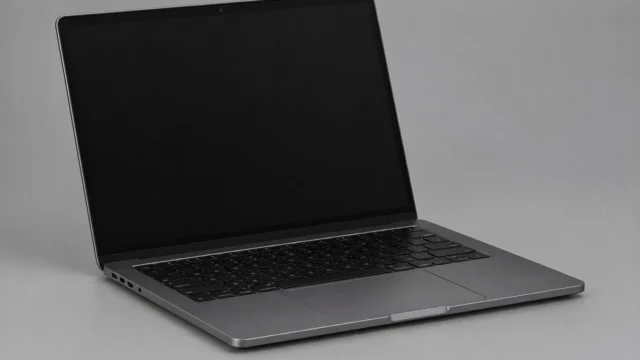
What is not in dispute is the hardware underneath the price tag. It is a 12.2-inch convertible running Chrome OS, built for students, home users, and anyone who wants a lightweight secondary machine rather than a primary workstation. The 360-degree hinge and touchscreen point squarely at the education and casual-use market Samsung has chased with this line for years.
Full Spec Sheet: What $359 Actually Buys
Retail listings for the laptop are consistent on the core hardware. The laptop runs on an Intel Celeron 3965Y processor, a dual-core, dual-thread chip with a 1.5 GHz base clock, paired with Intel HD Graphics 615. The display is a 12.2-inch FHD+ touchscreen at 1920 by 1200 resolution in a 16:10 aspect ratio, which is taller than the 16:9 panels common on cheaper Windows laptops and better suited to reading documents or scrolling code in a browser-based editor.
Memory is capped at 4 GB of LPDDR3 RAM, a figure that will matter a lot to anyone trying to run more than a handful of browser tabs or a Linux container at once. Storage varies by configuration: some listings show 128 GB total, split between 64 GB of eMMC storage and a bundled 64 GB SD card, while other listings show a simpler 64 GB eMMC-only configuration. Buyers should check the exact SKU before assuming which storage split they are getting.
Connectivity includes two USB-C ports, one USB 3.0 Type-A port, a headphone and microphone combo jack, and a microSD card reader, alongside Wi-Fi 5 (802.11ac) and Bluetooth 4.0. The camera setup covers a 1 MP front-facing camera for video calls plus a 13 MP camera built into the keyboard deck for document scanning, a layout Samsung has used across several Chromebook Plus generations. The battery is a 39 Wh lithium-ion polymer pack, and the device supports an active Samsung stylus for note-taking in tablet mode.
| Component | Samsung Chromebook Plus V2 360 Spec |
|---|---|
| Operating system | Chrome OS |
| Processor | Intel Celeron 3965Y, 2 cores / 2 threads, 1.5 GHz base |
| Graphics | Intel HD Graphics 615 |
| Display | 12.2-inch FHD+ touchscreen, 1920 x 1200, 16:10 |
| Memory | 4 GB LPDDR3 RAM |
| Storage | 64 GB eMMC, or 64 GB eMMC + 64 GB SD card (varies by listing) |
| Cameras | 1 MP front camera, 13 MP keyboard-deck camera |
| Ports | 2x USB-C, 1x USB 3.0 Type-A, combo audio jack, microSD reader |
| Wireless | Wi-Fi 5 (802.11ac), Bluetooth 4.0 |
| Battery | 39 Wh lithium-ion polymer |
| Stylus | Samsung Stylus supported |
| Chrome OS update deadline (AUE) | August 2027 |
Chrome OS Support Ends August 2027: What the AUE Date Means
Google assigns every Chromebook an Auto Update Expiration date, and for this laptop that date lands in August 2027. Google’s own Chromebook support documentation describes the AUE date as the marker used to determine how much longer a device will keep receiving official software and security updates. Once a Chromebook passes its AUE date, it does not stop turning on. It simply stops being guaranteed new Chrome OS versions and the security patches that come bundled with them.
A separate listing tracked by ChromebookFixes places the Samsung Chromebook Plus (V2) family at the same August 2027 cutoff, which lines up with the figure Tech Times cited in its report. For a device going on sale at a discounted $359 in October 2026, that leaves roughly 10 months of guaranteed updates from the day a buyer unboxes it, a noticeably shorter runway than a Chromebook bought at full price when it first launched.
Why the Official Model Name Is Murkier Than the Marketing
One detail worth flagging for anyone comparison-shopping: it is not fully confirmed that “Chromebook Plus V2 360” is Samsung’s own official product name rather than a retailer-assigned label. Samsung’s own support lookup identifies the hardware under the model number Chromebook Plus (XE521QAB), without the “V2 360” branding that shows up across several retail listings. That is not unusual for Chromebooks, where retailers often append generation numbers and form-factor descriptors that do not appear on Samsung’s own documentation, but it is a reminder to match the exact model number on the box against the listing before buying, since specs like storage and RAM can shift between revisions carrying similar marketing names.
Is the Samsung Chromebook Plus V2 360 Good Enough for Developers?
Software engineers scanning a $359 price tag will inevitably ask whether this thing can double as a lightweight coding machine, and the honest answer is: for narrow use cases, yes, for anything heavier, no. The 4 GB of RAM is the real ceiling here. Chrome OS itself is efficient, but once you add a Linux container, a code editor, a local language server, and a browser with a handful of tabs for documentation, 4 GB disappears fast. This is not a machine for compiling large projects or running multiple Docker containers side by side.
Where it does hold up is as a thin client for cloud-based development. SSH into a remote server, use a browser-based IDE, or run Google’s own developer tools through Crostini for small scripts, and the Intel Celeron 3965Y and its Intel HD Graphics 615 are adequate, if unexciting. Readers comparing the current crop of lightweight coding setups against heavier local options may find it useful to check how the best AI code editors of 2026 handle resource-constrained hardware like this, since many modern AI-assisted editors lean hard on remote compute rather than local processing, which plays to a cheap Chromebook’s strengths.
Running Code Editors and Linux Tools on a 4GB Chrome OS Laptop
Chrome OS has supported a Linux development environment through Crostini since 2018, and that container system still underpins most of the “write code on a Chromebook” workflows people describe online. On a 4 GB machine like this one, the practical move is to keep that container minimal: a terminal, a lightweight text editor, and Git, rather than a full desktop IDE running inside the container on top of Chrome OS itself.
Developers who already split their work between a terminal-first editor and an AI coding assistant may find this hardware a reasonable fit for the terminal half of that split. Those currently weighing a move between tools, including anyone who has looked at a Cursor to Claude Code migration, should note that CLI-first agentic coding tools tend to be lighter on local RAM than full IDE windows, which again favors a machine like this one for remote or terminal-based sessions rather than anything that needs to render a heavy local editor window.
Samsung Chromebook Plus V2 360 vs Other Budget 2-in-1 Laptops
Shoppers comparing this Chromebook against other budget 2-in-1 options are mostly weighing trade-offs between price, update runway, and raw specs rather than looking for a clear winner. The table below lines up the confirmed specs for this specific Samsung model against the kind of hardware ceiling buyers should expect at this price point.
| Factor | Samsung Chromebook Plus V2 360 | What Buyers Should Watch For |
|---|---|---|
| Price (as reported) | $359 per Tech Times | Confirm current price at checkout; not independently matched across all retailers |
| Form factor | 12.2-inch 2-in-1 touchscreen, 360-degree hinge | Good for tablet mode and stylus note-taking |
| RAM | 4 GB LPDDR3 | Tight for multitasking, fine for single-task browsing |
| Storage | 64 GB eMMC or 64 GB + 64 GB SD card split | Check the exact SKU; configurations differ |
| Update deadline | August 2027 AUE | Roughly 10 months of updates left from an October 2026 purchase |
| Stylus support | Yes, Samsung Stylus | Useful for students and note-takers |
Chrome OS Update Policy: Why the AUE Date Matters More Than the Spec Sheet
Google has been explicit that the AUE date, not the processor or RAM count, is the real expiration clock on a Chromebook. According to Google’s support documentation, a device that passes its AUE date keeps functioning, but Google stops guaranteeing new Chrome OS releases and the security fixes bundled into them. That is a meaningfully different kind of obsolescence than a Windows or macOS machine simply getting slower over time, since the software lockout on a Chromebook is a hard policy cutoff rather than a gradual performance decline.
For IT buyers purchasing in bulk for classrooms or small offices, that distinction changes the math on a $359 price tag considerably. A device that looked like a bargain at checkout can turn into a fleet of unsupported endpoints well before the hardware itself fails, which is exactly the scenario security and antivirus guidance aimed at consumer laptops increasingly has to account for. Readers managing a mixed fleet of devices may want to cross-reference endpoint protection options in a broader roundup of the best antivirus software for 2026, since a Chrome OS device past its AUE date still needs some layer of protection even though Google itself has stopped patching the core OS.
Market Impact: Budget Chromebooks Amid a Memory Price Squeeze
The timing of a Chromebook price cut is not happening in a vacuum. DRAM and NAND pricing has been under pressure across the PC and smartphone supply chain through 2026, a trend that has already shown up in weaker smartphone shipment numbers this year, with industry trackers pointing to the worst third-quarter smartphone shipment results in 14 years, tied partly to a 20 percent shipment drop linked to a broader memory shortage. A Chromebook that ships with just 4 GB of RAM and 64 GB of eMMC storage is a direct product of that same cost pressure: manufacturers hold memory and storage capacity down to protect margins on a device that is already priced to compete at the entry level.
That squeeze cuts both ways for a $359 Chromebook. A genuine price drop on existing inventory makes sense if a retailer is clearing stock ahead of newer silicon, but it also means buyers are getting hardware that was already modest on memory and storage before the current component pricing environment made those same parts more expensive to source for the next generation of devices.
Historical Context: How Chromebook Support Windows Have Shifted
Chrome OS has not always offered the same length of guaranteed updates across its hardware history, and complaints about short support windows on older Chromebooks are part of why Google now publishes AUE dates prominently on its own support site rather than burying them in fine print. This laptop’s August 2027 cutoff sits squarely in that broader pattern Google has built: a fixed, published expiration date tied to the device’s launch window rather than an open-ended promise of updates for as long as the hardware physically works.
That published-date model is, in fairness, more transparent than how most Windows or Android hardware communicates its own end-of-support timeline to ordinary shoppers. The trade-off is that it puts a visible number on the box, so a discount that looks aggressive on day one, like $359 for this laptop, reads differently once a shopper does the math on how many months of coverage are actually left.
The Security Risk of Buying a Laptop 10 Months From Its Support Cliff
Google’s own guidance is blunt about what happens after a device’s AUE date passes: continued operation is not proof of continued security coverage. A Chromebook with an August 2027 deadline purchased today will boot, browse, and run apps fine on the day after its AUE date lapses. What it will not get is the Chrome OS security patches that typically close vulnerabilities as they are discovered, which matters more on a laptop used for email, banking, or schoolwork logins than most buyers initially consider at checkout.
Password hygiene becomes more important, not less, on hardware approaching its support cliff, since the device itself can no longer be relied on to patch away newly discovered flaws in the browser or OS layer. That is a reasonable moment to double-check how credentials are stored and synced across a household’s devices, an area covered in a dedicated look at the best password managers for 2026, particularly for shared family Chromebooks that may stay in service well past their official update window simply because replacing them is not in the budget.
Predictions: What Comes Next for Budget Chrome OS Hardware
A few things look likely to play out over the next year for Chromebooks sitting in this device’s price and support bracket.
- Retailers will keep discounting AUE-constrained Chromebook inventory rather than pulling it from shelves, since clearing stock ahead of a support deadline is more profitable than writing it off entirely.
- Shoppers and IT buyers will increasingly check AUE dates before checkout, following the same habit that already shapes used-phone and refurbished-laptop buying.
- Expect more scrutiny on exact model numbers and SKU variants, since the gap between a retailer’s marketing name and a manufacturer’s official support-page listing, as seen here between “Plus V2 360” and the XE521QAB model number, creates confusion buyers increasingly flag in reviews.
- Entry-level Chromebook RAM configurations are unlikely to move far from 4 GB in the near term given current memory pricing pressure, keeping this class of device firmly in the “secondary browser machine” category rather than a true coding workstation.
- Expect continued demand for these budget machines specifically as thin clients for cloud development and AI-assisted coding workflows, where the heavy compute runs remotely and the laptop itself just needs to render a browser window reliably.
What Shoppers and IT Buyers Should Do Before Checkout
Anyone tempted by a $359 price tag on this Chromebook should do three things before adding it to a cart. First, verify the exact model number against Samsung’s own support listing rather than trusting the retailer’s marketing name alone, since storage and camera configurations can vary between listings carrying similar names. Second, confirm the AUE date directly rather than assuming every unit in a product line shares the same cutoff, since Chrome OS update windows are tied to the specific hardware revision, not just the product family name.
Third, budget for external storage if the eMMC-only configuration is what shows up at checkout. With as little as 64 GB of onboard storage split between the OS, Linux containers, and downloaded files, buyers planning anything beyond basic browsing should plan around a microSD card or a portable SSD connected over the laptop’s USB-C ports from day one rather than waiting until storage runs short.
Frequently Asked Questions
Is the Samsung Chromebook Plus V2 360 actually $359 right now?
Tech Times reported the $359 figure in its October 15, 2026 story on the device. That exact price was not independently matched across every retailer checked for this article, so confirm the current listed price before buying.
When does Chrome OS support end for this laptop?
The Samsung Chromebook Plus V2 360’s Auto Update Expiration date is August 2027, according to Chromebook AUE tracking sites and the figure cited in Tech Times’ report.
What happens to the laptop after its AUE date passes?
It keeps working as a physical device, but Google no longer guarantees new Chrome OS versions or security patches for it, per Google’s own Chromebook support documentation.
How much RAM does the Samsung Chromebook Plus V2 360 have?
It ships with 4 GB of LPDDR3 RAM, which is enough for browsing and light multitasking but tight for running a Linux development container alongside multiple browser tabs.
Is this a good laptop for coding?
It works as a thin client for remote development, cloud IDEs, or terminal-based coding sessions, but its 4 GB of RAM and Intel Celeron 3965Y processor make it a poor fit for local compiling or running multiple containers at once.
What is the exact model number for this Chromebook?
Samsung’s own support site lists the hardware as Chromebook Plus (XE521QAB). Whether “Plus V2 360” is Samsung’s official current branding for every unit sold under that name is not independently confirmed, so check the model number printed on the device itself.
How much storage does it include?
Listings vary: some show 128 GB total across a 64 GB eMMC drive plus a bundled 64 GB SD card, while others show a 64 GB eMMC-only configuration. Check the specific SKU before purchase.
Should I buy a Chromebook this close to its support deadline?
That depends on budget and use case. For light, short-term use, a discounted Chromebook with roughly 22 months of guaranteed updates left can still make financial sense. For a primary household machine expected to last years, the shrinking update runway is a real factor to weigh against the lower price.
Related Coverage
Owen Castellanos
Owen Castellanos is the Hardware & Gaming Reporter at TrendinTech, where he tests graphics cards, processors, consoles and peripherals and follows the games industry, from the major publishers to independent studios. He writes for readers who want to know whether a product is worth the money, and he is not shy about saying when it is not.
All stories by Owen Castellanos (335)![Java 27 vs Java 25: 9 JEPs Add Post-Quantum Defense [2026]](https://trendintech.com/wp-content/uploads/2026/10/java-27-vs-java-25-post-quantum-cryptography-2026-gen-640x360.webp)
![NVIDIA Gives Europe Free Access to 1,400 AI Tools [2026]](https://trendintech.com/wp-content/uploads/2026/10/nvidia-europe-ai-tools-1400-open-source-2026-640x360.webp)