

Best Portable SSD 2026: USB4 Hits 3,800MB/s vs $110

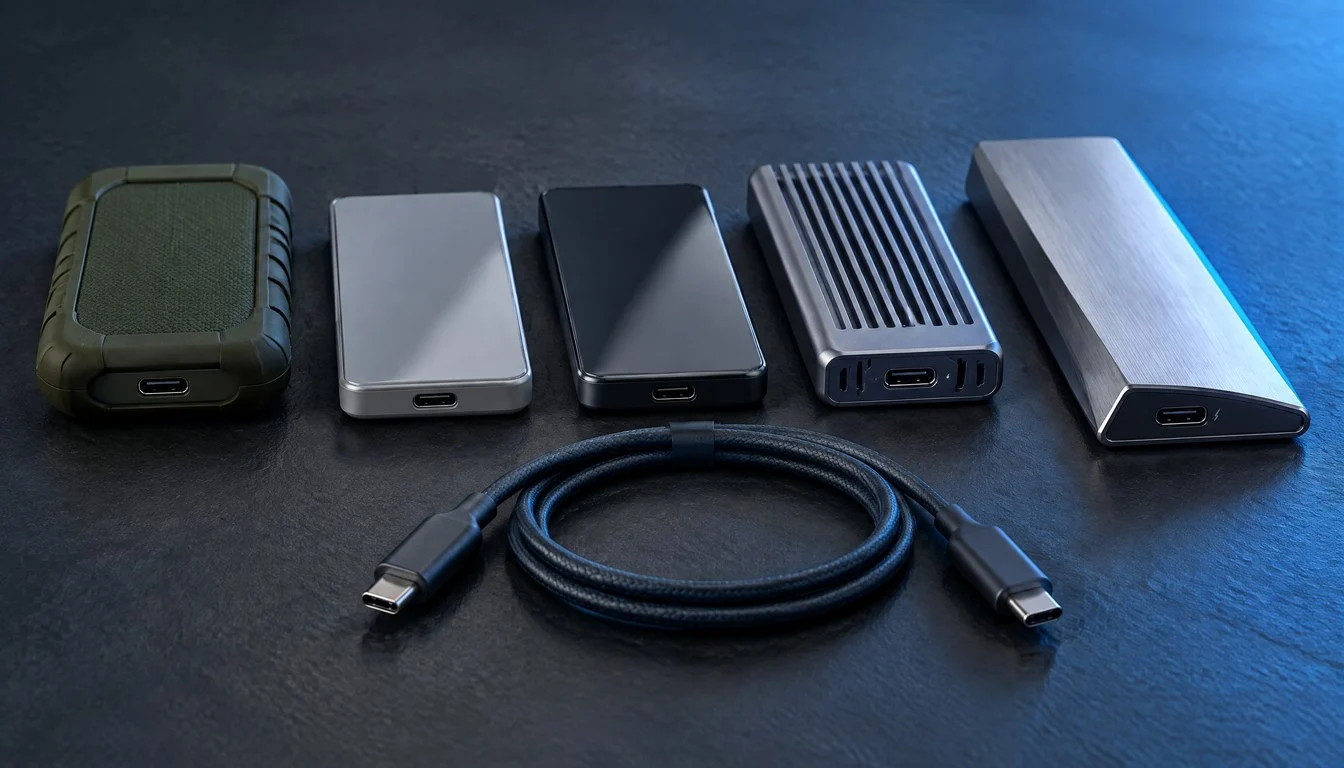
Shopping for the best portable SSD in 2026 means picking a side in a fight most buyers never see coming: the interface war. A drive that reads 3,800 MB/s on the spec sheet can crawl along at barely 1,000 MB/s on the wrong laptop port, while a $110 model with half the advertised speed might actually move your files faster in daily use. That gap between marketing numbers and real transfer speeds is the single biggest source of buyer’s remorse in external storage right now, and it has only gotten more confusing since USB4 and Thunderbolt 5 drives started showing up next to the usual USB 3.2 Gen 2×2 lineup.
This comparison breaks down every major tier of portable SSD and M.2 NVMe enclosure on the market as of October 2026: rugged budget drives, mid-range USB 3.2 Gen 2×2 workhorses, and the new wave of USB4 and Thunderbolt hardware that finally pushes past the 2,000 MB/s ceiling. We pulled lab-tested numbers from storage review sites, checked advertised specs against independent benchmarks, and mapped out which drive actually fits which workload. If you edit 8K footage, haul a Steam library between a desktop and a handheld, or just need a reliable backup drive that survives a drop in the parking lot, there’s a specific answer here instead of a generic “buy the fastest one” shrug.
Don't miss new tech stories on Google
Add TrendinTech once in the Google app and our stories appear in your news suggestions.
What Changed in Portable SSDs for 2026
For years, the best portable SSD you could buy topped out around 1,000 to 2,000 MB/s because USB 3.2 Gen 2 and Gen 2×2 were the fastest consumer interfaces available in a $100-$200 drive. That ceiling broke in 2026. USB4 enclosures and portable drives now ship at retail with rated speeds above 3,000 MB/s, and Thunderbolt 5 just landed in consumer storage for the first time. OWC announced its Envoy Ultra Thunderbolt 5 SSD in early October 2026, built around a 120Gbps Thunderbolt 5 connection, with shipping starting the same month, according to a report from Ground News. That is more than double the bandwidth of the Thunderbolt 4 and USB4 drives that were considered cutting edge just a year earlier.
At the same time, SanDisk’s Extreme PRO USB4 has become the reference point for the current fast tier, with independent lab testing from StorageReview clocking it at 3,172.3 MB/s read and 2,863.6 MB/s write in real-world conditions, even though some retail listings advertise figures closer to 3,800 MB/s read and 3,700 MB/s write. Meanwhile, the Samsung T9 and Crucial X10 Pro continue to anchor the USB 3.2 Gen 2×2 value tier, and the Samsung T7 Shield remains the rugged pick most reviewers still recommend for everyday users who do not need bleeding-edge throughput. Add in a wave of standalone M.2 NVMe enclosures from brands like Sabrent, and 2026 buyers now have to choose not just a brand, but an entire interface generation.
How We Compared These Portable SSDs
Rather than running our own lab tests, we cross-referenced published benchmark data from multiple independent review outlets, including StorageReview’s lab-tested portable SSD rankings, iTechGuides’ 2026 external SSD testing, and TechWench’s video-editing-focused comparison. Where sources disagreed, meaning advertised specs versus tested real-world transfer speeds, we reported both numbers so you can see the gap for yourself. We also weighted durability ratings (IP ratings and drop resistance), encryption support, warranty length, and street pricing as of October 2026, since a portable drive’s value depends on more than a single sequential read number.
We grouped every drive into three practical tiers: rugged mainstream (USB 3.2 Gen 2), fast value (USB 3.2 Gen 2×2), and high-performance (USB4 and Thunderbolt). A fourth category, build-your-own M.2 NVMe enclosures, sits alongside these because it lets buyers reuse an existing internal SSD instead of buying a sealed portable drive outright.
Best Portable SSD 2026: Full Specs Comparison Table
The table below lines up the ten most relevant products and categories in this comparison, covering interface, advertised throughput, durability, and pricing for each. Figures marked “tested” come from independent lab measurements rather than manufacturer marketing copy.
| Product | Interface | Max Read | Max Write | Capacities | IP Rating | Drop Rating | Encryption | Warranty | Street Price (1TB) |
|---|---|---|---|---|---|---|---|---|---|
| Samsung T7 Shield | USB 3.2 Gen 2 | 1,050 MB/s | 1,000 MB/s | 1TB / 2TB / 4TB | IP65 | 9.8 ft (3m) | AES 256-bit | 3-year | ~$110-120 |
| Samsung T9 | USB 3.2 Gen 2×2 | 2,000 MB/s (1,566 MB/s tested) | 1,950 MB/s (1,582 MB/s tested) | 1TB / 2TB / 4TB | None | None | AES 256-bit | 5-year | ~$150 |
| Crucial X10 Pro | USB 3.2 Gen 2×2 | 2,100 MB/s | 2,000 MB/s | Up to 4TB | IP55 | 7.5 ft (2.3m) | Not specified | 3-year | ~$110 |
| SanDisk Extreme Portable SSD | USB-C 3.2 Gen 2 | 2,000 MB/s | Not specified | 1TB and up | IP65 | Not specified | Password protection | 3-year | ~$100-130 |
| SanDisk Extreme PRO USB4 | USB4 Gen 3×2 | 3,800 MB/s adv. (3,172.3 MB/s tested) | 3,700 MB/s adv. (2,863.6 MB/s tested) | Varies by retailer | IP65 | 6.6 ft (2m) | Password protection | 5-year | Capacity-specific pricing varies |
| Sabrent USB4 NVMe Enclosure | USB4 (falls back to TB3/4, 20/10/5Gbps USB-C) | 3,900 MB/s (USB4) / 2,700 MB/s (TB3/4) | Varies with installed drive | Bring-your-own M.2 drive | None | None | Depends on installed SSD | Enclosure warranty only | ~$70-90 (enclosure only) |
| Generic Thunderbolt 4 NVMe Enclosure | Thunderbolt 4 | Up to 3,500 MB/s | Varies with installed drive | Bring-your-own M.2 drive | None | None | Depends on installed SSD | Enclosure warranty only | ~$76-80 (enclosure only) |
| OWC Express 1M2 80G | USB4 | Rated fast, exact figure not disclosed | Rated fast, exact figure not disclosed | Bring-your-own M.2 drive | None | None | Depends on installed SSD | Varies | Not yet widely listed |
| OWC Envoy Ultra | Thunderbolt 5 (120Gbps) | Not finalized at launch | Not finalized at launch | Pre-order, shipping October 2026 | Not disclosed | Not disclosed | Not disclosed | Not disclosed | Not finalized at launch |
| Internal PCIe Gen4 M.2 NVMe SSD (pre-enclosure) | PCIe Gen4 x4 (internal) | Up to ~7,000 MB/s internal | Up to ~6,000 MB/s internal | Depends on drive, commonly 1TB-4TB | N/A (internal) | N/A (internal) | Depends on drive | Depends on drive | Drive only, before enclosure |
That last row matters more than it looks. A modern PCIe Gen4 M.2 NVMe drive can theoretically push close to 7,000 MB/s internally, but once you put it in any external enclosure, the USB or Thunderbolt interface becomes the bottleneck, not the drive. That is the core reason USB4 and Thunderbolt enclosures exist: they let a fast internal drive actually show its speed externally, instead of getting capped by an older USB 3.2 controller.
Benchmark Results: Advertised Specs vs Tested Performance
Every portable SSD vendor quotes “up to” speeds measured under ideal lab conditions, and real-world numbers routinely come in lower. We pulled benchmark figures from three independent review outlets to show how much that gap can swing, since it is the single most useful piece of data for deciding whether a faster, pricier drive is actually worth it for your workload.
| Product | Source | Measurement Type | Read Speed | Write Speed |
|---|---|---|---|---|
| Samsung T9 | StorageReview lab test | Tested | 1,566 MB/s | 1,581.6 MB/s |
| Samsung T9 | Alan Spicer spec review | Advertised | 2,000 MB/s | 1,950 MB/s |
| Samsung T7 Shield | iTechGuides 2026 roundup | Advertised | 1,050 MB/s | 1,000 MB/s |
| Crucial X10 Pro | TechWench video-editing comparison | Advertised | 2,100 MB/s | 2,000 MB/s |
| SanDisk Extreme PRO USB4 | StorageReview lab test | Tested | 3,172.3 MB/s | 2,863.6 MB/s |
| SanDisk Extreme PRO USB4 | TechWench video-editing comparison | Advertised | 3,800 MB/s | 3,700 MB/s |
| Sabrent USB4 NVMe enclosure | TechFromAlex enclosure roundup | Advertised | 3,900 MB/s | Not published |
The pattern across these sources is consistent: USB 3.2 Gen 2×2 drives tend to lose roughly 20 to 25 percent of their advertised speed once they hit a real laptop port, while the gap on USB4 drives can run even wider depending on the host controller. That does not make the advertised numbers fake, it just means your actual host port, cable quality, and even the file size you are transferring all change the result you will see at home.
Pricing Comparison: What a Portable SSD Actually Costs in October 2026
Pricing on portable SSDs swings hard depending on retailer, sale timing, and capacity, so we focused on the most commonly cited street prices across multiple sources rather than list price alone.
| Product | 1TB | 2TB | 4TB |
|---|---|---|---|
| Samsung T7 Shield | ~$110-120 | ~$200-280 (wide retailer variance reported) | Available, price varies by retailer |
| Samsung T9 | ~$150-225 | ~$225-377 | ~$709 |
| Crucial X10 Pro | ~$110 | ~$170-220 | Available, price varies by retailer |
| SanDisk Extreme PRO (premium Gen 2×2 tier) | Varies by retailer | ~$549.99 (one listed configuration) | Not consistently listed |
| SanDisk Extreme PRO USB4 | Capacity-specific pricing not consistently published | Capacity-specific pricing not consistently published | Capacity-specific pricing not consistently published |
| Thunderbolt 4 NVMe enclosure (enclosure only, BYO drive) | ~$76-80 (enclosure, excludes drive cost) | Same enclosure, add drive cost | Same enclosure, add drive cost |
Notice how wide the Samsung T7 Shield and T9 price ranges are. One retailer listing in our research pegged a T7 Shield near $120, while another listed the same drive north of $270. That spread alone can justify shopping around for 10 minutes before buying, since it is often larger than the price difference between two entirely different drives.
Tier One: Rugged Mainstream Drives (USB 3.2 Gen 2)
Samsung T7 Shield
The Samsung T7 Shield is still the drive most reviewers recommend to someone who just wants a reliable backup without thinking too hard about interfaces. Its USB 3.2 Gen 2 connection caps out at 1,050 MB/s read and 1,000 MB/s write, numbers that sound modest next to the USB4 tier, but the drive compensates with an IP65 dust and water resistance rating and a drop tolerance of about 9.8 feet (3 meters), according to specs compiled by iTechGuides. That combination of broad compatibility, since it works at full advertised speed on almost any USB-C or USB-A port with an adapter, and physical durability is why it keeps showing up as a top pick across review sites even in a year when faster drives got cheaper.
Where the T7 Shield falls short is obvious: 1,000 MB/s is roughly half of what a Gen 2×2 drive delivers, and less than a third of a USB4 drive’s tested speed. If your work involves large video files or frequent multi-gigabyte transfers, the time cost adds up fast. For photo backups, Steam library storage, or general document and media backup, the gap rarely matters in practice.
Tier Two: Fast Value Drives (USB 3.2 Gen 2×2)
Samsung T9 and Crucial X10 Pro
The Samsung T9 and Crucial X10 Pro occupy the same practical tier, and the choice between them usually comes down to price and encryption needs rather than raw speed. The T9 is rated for up to 2,000 MB/s read and 1,950 MB/s write, with hardware AES-256 encryption built in and a five-year warranty, a longer coverage window than most competitors in this price range. The Crucial X10 Pro edges it slightly on paper at 2,100 MB/s read and 2,000 MB/s write, while adding IP55 dust and splash resistance and a 7.5-foot drop rating that the T9 does not offer at all.
Street pricing tends to favor the Crucial X10 Pro, which has been reported around $110 for the 1TB model compared to the T9’s wider $150-225 range depending on retailer and sale timing, based on figures compiled by TechWench. Both drives require a genuine 20Gbps USB-C port to hit their rated speeds. Plug either one into an older 10Gbps port and performance drops close to the 1,000 MB/s range, effectively turning a Gen 2×2 drive into a slower, more expensive T7 Shield.
This is also the tier where lab testing diverges most sharply from marketing copy. StorageReview’s tested numbers for the T9 came in at 1,566 MB/s read and 1,581.6 MB/s write, noticeably below the advertised 2,000 MB/s figure. That is not a defect, it reflects how sequential throughput benchmarks behave differently depending on the host system, the cable, and even ambient temperature during sustained writes.
Tier Three: High-Performance USB4 and Thunderbolt Drives
SanDisk Extreme PRO USB4, Sabrent Enclosures, and the OWC Envoy Ultra
SanDisk’s Extreme PRO USB4 is the clearest answer to “what is the fastest portable SSD you can actually buy in 2026.” Running over USB4 Gen 3×2, it is rated up to 3,800 MB/s read and 3,700 MB/s write by some retailers, while StorageReview’s independent lab test measured a still-impressive 3,172.3 MB/s read and 2,863.6 MB/s write. Either number represents roughly double the real-world throughput of the fastest Gen 2×2 drives. The drive also carries an IP65 rating and a 2-meter (6.6 foot) drop tolerance, so SanDisk did not sacrifice durability to hit that speed tier.
Alongside sealed drives, a growing category of standalone USB4 and Thunderbolt enclosures lets buyers install their own M.2 NVMe SSD instead. A Sabrent USB4 enclosure reviewed by TechFromAlex is rated at up to 3,900 MB/s over USB4 and around 2,700 MB/s when connected via Thunderbolt 3 or 4, with automatic fallback to 20Gbps, 10Gbps, and 5Gbps USB-C if plugged into an older port. A comparable Thunderbolt 4 enclosure tracked by SetupRanked lists for roughly $76-80 and claims up to 3,500 MB/s, though actual throughput depends entirely on the NVMe drive installed inside it.
The newest entrant is the OWC Envoy Ultra, announced in early October 2026 with Thunderbolt 5 support running at 120Gbps, more than triple the bandwidth ceiling of Thunderbolt 4 or USB4. OWC opened pre-orders immediately with shipping the same month, per Ground News’ coverage of the launch, though final retail pricing and independently tested benchmark figures were not available at the time of this comparison. OWC also showcased its Express 1M2 80G, a USB4 NVMe enclosure the company describes as fast and widely compatible, according to a StorageNewsletter report from its October product showcase.
Build Your Own: M.2 NVMe Enclosures vs Sealed Portable SSDs
A sealed portable SSD and a bare M.2 NVMe enclosure solve the same problem from opposite directions. The sealed drive gives you a tested, warrantied package out of the box. The enclosure route, buying a $70-90 USB4 or Thunderbolt 4 shell and dropping in your own M.2 NVMe stick, usually costs less per terabyte if you already own a spare internal drive, or if you are upgrading a laptop and want to repurpose the drive you just pulled out.
The math favors the DIY route most clearly when you are already buying a new internal NVMe drive for a desktop or laptop build and have an old one sitting in a drawer. A $75 enclosure plus a drive that would otherwise go unused turns into a free or near-free high-speed external drive. The math favors a sealed drive when you have no spare NVMe stick, since buying both an enclosure and a new bare drive separately rarely beats the price of an equivalent sealed portable SSD once you account for the warranty and pre-validated compatibility that comes with a packaged product.
One real trade-off: enclosures do not carry the same durability certifications as sealed drives. None of the enclosures in our research publish an IP rating or drop tolerance, because that depends entirely on which bare drive and thermal pad setup you install. If you need a drive that survives a construction site or a kayak trip, buy a sealed, rated drive like the T7 Shield or Crucial X10 Pro instead of building your own.
Checking Your Real Transfer Speed From the Command Line
Before trusting any drive’s marketing number, it helps to measure your own real-world transfer speed on your actual system. On macOS and Linux, a simple sequential write test using dd gives a rough but honest baseline without installing extra software.
# macOS / Linux: quick sequential write test (replace /Volumes/MyDrive with your mount point)
dd if=/dev/zero of=/Volumes/MyDrive/testfile bs=1m count=2048 conv=fsync

# Read the file back and time it
time cat /Volumes/MyDrive/testfile > /dev/null

# Clean up the test file afterward
rm /Volumes/MyDrive/testfile
On Windows, PowerShell’s built-in Measure-Command paired with a large file copy gives a comparable result without needing a separate benchmarking tool.
# Windows PowerShell: time a large file copy to your portable SSD
Measure-Command { Copy-Item "C:\TestFile\largefile.bin" -Destination "E:\largefile.bin" }
Running this on your own laptop before and after buying a drive is the fastest way to confirm whether your USB-C port can actually deliver the speed tier you are paying for.
How Much Capacity Do You Actually Need?
Interface speed gets most of the attention in portable SSD shopping, but capacity mismatches cause more day-to-day frustration. Buying a blazing-fast USB4 drive that fills up in a week forces you back into the same cycle of juggling files you were trying to escape. The right capacity depends heavily on file type, since an hour of 4K footage eats vastly more space than an hour of RAW photos or a week of code commits.
| Use Case | Typical File Sizes | Recommended Capacity | Why |
|---|---|---|---|
| Document and photo backup | 5-50MB per file | 500GB-1TB | Thousands of photos and documents rarely exceed this range even over several years |
| Steam or console game library | 20-150GB per title | 2TB-4TB | Modern AAA titles routinely exceed 100GB, so a handful of games fills 1TB fast |
| 4K video editing project files | 500GB-2TB per project | 2TB-4TB | Raw footage, proxies, and render caches multiply the footprint of a single project |
| 8K and ProRes RAW production work | 1TB-4TB+ per project | 4TB and up | Uncompressed and lightly compressed 8K footage consumes capacity at a rate smaller drives cannot hold |
| Software and VM image backups | 20-200GB per image | 1TB-2TB | Multiple VM snapshots and container images add up quickly even for a solo developer |
A useful rule of thumb: buy one capacity tier larger than what your current library needs today. Portable SSD prices per terabyte keep falling, so the cost of future-proofing against the next year of file growth is usually smaller than the hassle of outgrowing a drive and having to migrate everything again in six months.
Portable SSD vs Cloud Storage and NAS: When Local Storage Wins
A portable SSD is not the only way to solve a storage problem in 2026, and it is worth being clear about when cloud storage or a home NAS makes more sense instead. Cloud storage wins for anything you need to access from multiple locations without carrying hardware, and for data you genuinely cannot afford to lose to a dropped drive or house fire, since reputable cloud providers replicate data across multiple physical locations automatically. The tradeoff is ongoing subscription cost and a hard dependency on your internet connection, which becomes a real bottleneck the moment you are moving hundreds of gigabytes of video footage on a hotel Wi-Fi connection.
A NAS splits the difference for households or small teams that want redundancy without paying a monthly cloud bill forever, but it requires a fixed location, ongoing power draw, and enough technical comfort to maintain drive health and backups over time. A portable SSD beats both options for anyone who needs to physically move large amounts of data between two specific places, like a camera card dump that gets handed directly to an editor, or a laptop backup that needs to survive a flight without relying on hotel internet. The honest answer for most creative professionals in 2026 is a combination: a portable SSD for active project work and immediate transfers, backed up periodically to either a NAS or a cloud tier for long-term redundancy, rather than treating any single option as sufficient on its own.
Understanding TBW Ratings and Long-Term Drive Endurance
Every NAND flash drive, portable or internal, has a finite number of write cycles before cells start to wear out, measured as Terabytes Written, or TBW. Manufacturers rarely advertise TBW ratings on portable SSDs as prominently as they do on internal drives, but the underlying NAND inside a Samsung T9 or Crucial X10 Pro is the same class of flash used in internal drives, so the physics are identical even when the marketing focuses on IP ratings and drop tolerance instead.
In practice, TBW matters far less for a portable SSD used for backups and occasional transfers than it does for an internal drive running an operating system with constant background writes. A drive doing a handful of multi-gigabyte transfers per week could take well over a decade to approach typical consumer TBW limits, which commonly sit in the hundreds of terabytes written for drives in this capacity range. Where TBW becomes relevant is if you are using a portable SSD as a scratch disk for active video editing, since constant read-write cycling during scrubbing and caching accumulates write volume far faster than simple backup use. For that workload, favor a drive with a published warranty of five years, like the Samsung T9, over a drive that only commits to three years of coverage, since the longer warranty window is often a proxy for how confident the manufacturer is in sustained write durability.
Real-World Use Cases: Which Portable SSD Fits Your Work
Specs only matter in the context of what you actually do with a drive day to day. Below is how the tiers in this comparison map onto common jobs and workflows in 2026, based on the throughput, durability, and capacity needs each one actually demands.
- 8K and ProRes video editors: A SanDisk Extreme PRO USB4 or a Sabrent USB4 enclosure paired with a fast internal NVMe drive is the only realistic choice, since sustained 4K and 8K RAW footage genuinely saturates Gen 2×2 drives during scrubbing and export.
- Field and wildlife photographers: The Samsung T7 Shield’s IP65 rating and 9.8-foot drop tolerance matter more than another 1,000 MB/s, especially when a drive spends its life in a backpack side pocket near a river or trailhead.
- PC gamers carrying a Steam library between a desktop and a handheld: Game load times depend more on random read performance and capacity than raw sequential speed, so a Crucial X10 Pro or Samsung T9 in the 2TB or 4TB range delivers the storage headroom without paying a USB4 premium.
- IT admins and security consultants doing forensic or air-gapped transfers: Hardware AES-256 encryption on the Samsung T9, or password protection on SanDisk’s Extreme line, matters as much as speed, since these drives often carry sensitive data between isolated systems.
- Remote software engineers backing up repos, containers, and VM images daily: A build-your-own Thunderbolt 4 or USB4 enclosure paired with a spare internal NVMe drive is the cheapest way to get near-4,000 MB/s throughput for daily incremental backups.
- Mac Studio and upcoming Thunderbolt 5 creative workstations: Early adopters chasing the absolute ceiling will want to watch the OWC Envoy Ultra once full benchmarks and pricing land, since 120Gbps Thunderbolt 5 is currently unmatched by anything else in this comparison.
Migration Guide: Moving Your Data to a New Portable SSD
Switching to a faster or more durable portable SSD is straightforward, but a few steps prevent lost files or formatting headaches, especially if you move between Mac and Windows systems regularly.
- Back up your existing drive to a second location first, even if it is just a temporary folder on your main computer, before reformatting anything.
- Choose a file system based on how you will use the drive: exFAT works across both Mac and Windows with no file size limits, APFS is faster on Mac-only workflows, and NTFS suits Windows-only environments with native support for Windows permissions.
- Format the new drive using your OS’s built-in disk utility, Disk Utility on Mac or Disk Management on Windows, rather than third-party tools, to avoid compatibility quirks with the drive’s included encryption or security software.
- If the drive supports hardware encryption, like the Samsung T9’s AES-256 implementation, set up the password and encryption before copying any files, not after.
- Copy files in smaller batches rather than one giant transfer when moving more than a few hundred gigabytes, since this makes it easier to spot and retry any files that fail partway through.
- Verify the transfer by comparing folder sizes and spot-checking a handful of large files on the new drive before deleting anything from the source.
- Run the command-line speed test above once the migration is done, so you have a documented baseline if the drive’s performance ever seems to degrade later.
- Keep the original drive as a secondary backup for at least a few weeks rather than wiping it immediately, since migration mistakes often surface days later, not during the copy itself.
Pros and Cons by Tier
Rugged Mainstream: Samsung T7 Shield
- Pro: Works at full advertised speed on nearly any USB-C port, no 20Gbps host requirement.
- Pro: IP65 rating and 9.8-foot drop tolerance suit outdoor and fieldwork use.
- Con: 1,000 MB/s ceiling is slow for large video files or frequent multi-gigabyte transfers.
- Con: No Gen 2×2 or USB4 option in the same rugged shell at this writing.
Fast Value: Samsung T9 and Crucial X10 Pro
- Pro: Roughly double the throughput of Gen 2 drives at a similar price point.
- Pro: Crucial X10 Pro adds IP55 and drop resistance that the T9 lacks.
- Con: Full advertised speed requires a genuine 20Gbps USB-C host port.
- Con: Tested real-world speeds can run 20-25 percent below advertised figures.
High-Performance: SanDisk Extreme PRO USB4, enclosures, and OWC Envoy Ultra
- Pro: Roughly double the real-world throughput of the fastest Gen 2×2 drives.
- Pro: Enclosure options let you reuse an existing M.2 NVMe drive instead of buying storage twice.
- Con: Requires a USB4 or Thunderbolt host port to see any benefit over cheaper tiers.
- Con: Capacity-specific pricing is inconsistent across retailers, and the newest Thunderbolt 5 hardware has unconfirmed pricing and benchmarks at launch.
Compatibility Pitfalls That Waste Your Money
The most common portable SSD complaint online is not about the drive itself, it is about buying a fast drive and plugging it into a slow port. USB 3.2 Gen 2×2 drives need a genuine 20Gbps USB-C port to clear even half their advertised speed, and plenty of budget laptops and desktops still ship with 10Gbps or even 5Gbps USB-C ports that silently cap performance without any warning in the operating system. USB4 drives need an actual USB4 or Thunderbolt controller on the host side, not just a USB-C connector that looks the same from the outside.
Cable quality matters almost as much as the port itself. A USB4-rated drive connected with a cheap generic USB-C cable rated only for USB 2.0 data speeds will bottleneck just as hard as plugging it into an old port, since the cable’s internal wiring and shielding determine how much bandwidth it can actually carry. Always use the cable included with a high-speed drive, or buy a cable explicitly rated for the same interface generation as the drive.
Formatting trips up more buyers than most expect, too. A drive formatted in APFS on a Mac will not mount for writing on a Windows PC without extra software, and a drive formatted in NTFS on Windows requires a driver or read-only access on Mac. exFAT remains the safest default for anyone who regularly moves a drive between operating systems, even though it lacks some of the permission and journaling features of native file systems.
The Verdict: Which Portable SSD Should You Buy
If you just want one reliable recommendation: buy the Crucial X10 Pro for most general use. At around $110 for 1TB, it delivers roughly double the speed of entry-level drives, adds IP55 and drop resistance that the Samsung T9 skips, and avoids the price premium of the USB4 tier that most buyers cannot even use at full speed without a newer laptop or desktop.
Choose the Samsung T7 Shield instead if durability matters more than speed, since its IP65 rating and near-10-foot drop tolerance remain tougher than anything else in this comparison at a similar price. Choose the Samsung T9 if hardware encryption and a five-year warranty outweigh a slightly higher price than the X10 Pro. Step up to the SanDisk Extreme PRO USB4 only if your laptop or desktop actually has a USB4 or Thunderbolt port and your workload genuinely saturates a Gen 2×2 drive, which in practice means video editors and anyone moving hundreds of gigabytes on a regular basis, not casual users. And consider a Sabrent or Thunderbolt 4 M.2 NVMe enclosure if you already own a spare internal NVMe drive, since it is the cheapest way into USB4-class speeds for anyone willing to assemble their own storage instead of buying it sealed.
Hold off on the OWC Envoy Ultra and Thunderbolt 5 drives generally until independent benchmarks and final pricing are published. Being first to a new interface standard rarely pays off for anyone besides early adopters who specifically want to future-proof a brand-new Thunderbolt 5 workstation.
Frequently Asked Questions
What is the best portable SSD for most people in 2026?
For most buyers, the Crucial X10 Pro offers the best balance of speed, durability, and price, rated at up to 2,100 MB/s read and 2,000 MB/s write with IP55 protection, typically priced around $110 for the 1TB model.
Is USB4 actually faster than USB 3.2 Gen 2×2 in real use, not just on paper?
Yes. Independent lab testing from StorageReview measured the SanDisk Extreme PRO USB4 at 3,172.3 MB/s read, roughly double the 1,566 MB/s tested speed of the Samsung T9 over USB 3.2 Gen 2×2, confirming the advantage holds up outside marketing claims.
Do I need a USB4 or Thunderbolt port to use a USB4 portable SSD?
Not strictly. Most USB4 drives and enclosures fall back to 20Gbps, 10Gbps, or even 5Gbps USB-C connections automatically, but you will only see USB4-class speeds with a genuine USB4 or Thunderbolt host port.
Is it cheaper to build my own portable SSD with an M.2 enclosure?
It can be, especially if you already own a spare internal NVMe drive. A Thunderbolt 4 or USB4 enclosure alone runs roughly $70-90, so pairing one with an unused drive often beats buying an equivalent sealed portable SSD, though you lose the IP rating and drop-tested durability of a sealed drive.
Why does my portable SSD run slower than the advertised speed?
The most common causes are a host USB-C port that is not rated for the drive’s full interface speed, a cable not rated for high-speed data transfer, or a file transfer involving many small files instead of large sequential ones, all of which reduce real-world throughput well below the rated maximum.
Which portable SSD is most durable for outdoor or fieldwork use?
The Samsung T7 Shield leads this comparison on durability, with an IP65 dust and water resistance rating and a drop tolerance of about 9.8 feet (3 meters), ahead of the Crucial X10 Pro’s IP55 rating and 7.5-foot drop tolerance.
Is Thunderbolt 5 portable storage worth buying right now?
Not yet for most buyers. The OWC Envoy Ultra, the first consumer Thunderbolt 5 portable SSD, began shipping in October 2026, but independent benchmarks and finalized capacity pricing were not available at the time of this comparison, so waiting for real-world testing is the safer move.
Does a portable SSD’s file system choice affect its speed?
File system choice affects compatibility more than raw speed, but exFAT is the safest format for moving a drive between Mac and Windows systems, while APFS or NTFS can offer marginally better performance on their native operating system for large sustained transfers.
Should I buy a sealed portable SSD or build my own with an M.2 enclosure?
Build your own if you already have a spare internal NVMe drive and want the lowest cost per terabyte at USB4 speeds. Buy a sealed drive like the Crucial X10 Pro or Samsung T7 Shield if you want a tested warranty package with a published IP and drop rating, since enclosures do not carry those same durability certifications.
Related Coverage
Owen Castellanos
Owen Castellanos is the Hardware & Gaming Reporter at TrendinTech, where he tests graphics cards, processors, consoles and peripherals and follows the games industry, from the major publishers to independent studios. He previously wrote reviews and benchmarks for Tom's Hardware and contributed features to PC Gamer, covering everything from laptop testing to the economics of game development. Owen holds a Bachelor of Science in Electrical Engineering from the University of Texas at Austin and attends CES in Las Vegas, Computex in Taipei and the Game Developers Conference in San Francisco each year to meet chipmakers and developers. He writes for readers who want to know whether a product is worth the money, and he is not shy about saying when it is not.
All stories by Owen Castellanos (287)![NVIDIA Pulls RTX 5090, Shifts GB202 to RTX Pro [2026]](https://trendintech.com/wp-content/uploads/2026/10/nvidia-rtx-5090-discontinued-gb202-rtx-pro-2026-640x360.webp)
![Thunderbolt 5 vs USB4 2.0 SSDs: 6,000MB/s for $400/TB [2026]](https://trendintech.com/wp-content/uploads/2026/10/thunderbolt-5-vs-usb4-2-0-portable-ssd-comparison-2026-gen-640x360.webp)
![Gigabyte BIOS Hints at Intel 2027 CPUs With Dual RAM [2026]](https://trendintech.com/wp-content/uploads/2026/10/gigabyte-bios-update-intel-raptor-lake-next-2027-gen-640x360.webp)