

Best PS2 Emulator 2026: PCSX2 Hits 98.36% vs NetherSX2

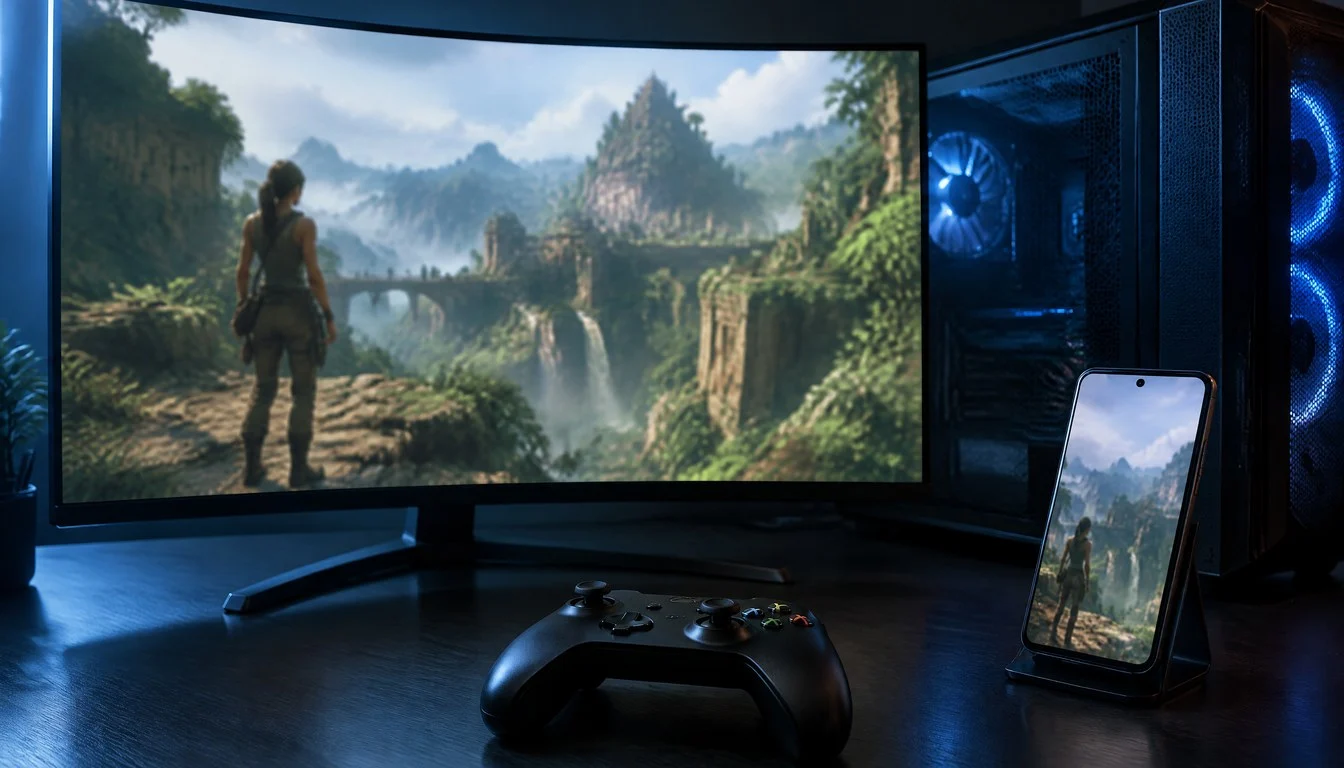
PlayStation 2 emulation has quietly become one of the busiest corners of retro gaming in 2026. Sony sold more than 160 million PS2 consoles over the console’s lifetime, and a huge share of that library — from “God of War” to “Gran Turismo 4” to “Shadow of the Colossus” — now runs better on a $300 phone than it ever did on the original hardware. The question is no longer whether PS2 emulation works. It is which emulator actually deserves your time: PCSX2 on desktop, NetherSX2 on Android, or the newer open-source challenger ARMSX2.
This comparison pulls data from the PCSX2 compatibility database, hands-on handheld testing published in October 2026, and Android-specific benchmarking from three independent outlets. It covers specs, real frame-rate numbers, pricing (spoiler: all three core options are free), setup steps, migration between emulators, and a verdict backed by the actual compatibility percentages rather than marketing claims.
Don't miss new tech stories on Google
Add TrendinTech once in the Google app and our stories appear in your news suggestions.
A Brief History of PS2 Emulation: How We Got Here
PCSX2 is not a new project. It started life in 2002, within months of the PS2’s own commercial life, and spent most of its first decade as a slow, buggy curiosity that could only limp through a handful of simple titles at a fraction of real-time speed. The project didn’t become genuinely usable for the bulk of the library until roughly 2015, when a wave of contributors rewrote core parts of the recompiler and GPU plugin system. That rewrite is the direct ancestor of the Vulkan-backed, 98%-plus-compatible version running today.
Mobile PS2 emulation arrived much later and took a messier path. AetherSX2 launched on Android in 2022 and quickly became the most downloaded PS2 emulator the platform had ever seen, only for its original developer to abruptly step away from the project in 2023 amid community friction over monetization and support. That exit created a vacuum that NetherSX2 filled almost immediately, forking the last open AetherSX2 codebase and continuing active development under community maintenance. ARMSX2 arrived even later, built from the ground up on PCSX2’s core rather than AetherSX2’s, and positioned itself as the fully GPL-compliant alternative once licensing disputes around other closed-source Android ports started drawing attention in developer circles.
That history matters for a practical reason: it explains why NetherSX2 still holds the larger install base and the deeper compatibility patch set in 2026, despite ARMSX2’s cleaner licensing story. Three extra years of community testing and bug reports is a real advantage that a license alone can’t offset overnight.
What Makes the Best PS2 Emulator in 2026
The PlayStation 2’s hardware was notoriously eccentric. Its Emotion Engine CPU paired an R5900 core with two vector units that developers used for everything from physics to particle effects, and its Graphics Synthesizer handled rendering in ways that still trip up modern emulator authors two decades later. A PCSX2 developer summed up the challenge bluntly on the project’s GitHub issue tracker: “The fact is, the PS2 is very complex.” That single sentence explains why PS2 emulation took until the mid-2010s to become reliable, and why only a handful of projects have managed to clear the bar since.
In 2026, “best” boils down to five measurable factors: compatibility rate against the full PS2 library, frame-pacing stability (not just peak FPS), platform support, how recently the project shipped an update, and legal cleanliness around BIOS handling and source code. Every emulator in this guide is judged against those five criteria, not against marketing copy or App Store star ratings.
It also matters where you are playing. A gaming desktop with a discrete GPU has very different headroom than a mid-range Android phone or a handheld like the Steam Deck OLED. That is why this guide treats PCSX2, NetherSX2, and ARMSX2 as complementary tools for different hardware rather than three competitors fighting for the exact same job.
PCSX2: The Desktop Gold Standard
PCSX2 remains the reference implementation of PS2 emulation. The project runs on Windows, Linux, and macOS, and its latest stable build is version 2.6.3, released January 28, 2026, with development builds advancing much faster — RetroBat’s release notes bumped bundled PCSX2 to version 2.7.521 on August 13, 2026. That gap between stable and nightly builds is normal for the project; power users who want the newest fixes typically run the nightly channel rather than waiting for a numbered stable release.
The numbers behind PCSX2’s reputation are hard to argue with. As of an October 4, 2026 snapshot, the project’s public compatibility database lists 2,679 games, with 98.36% rated “Playable” and 1.23% rated “Perfect.” That is one of the highest compatibility rates of any console emulator currently maintained, console or handheld.
PCSX2’s Technical Strengths
PCSX2 supports the Vulkan graphics backend alongside OpenGL and DirectX 11, letting it push internal rendering resolutions up to 8192×8192 on capable hardware — far beyond the PS2’s native 640×448 output. Add-ons that have become standard in 2026 builds include widescreen patches for games that originally only supported 4:3, texture filtering and anti-aliasing options, save states that work independently of in-game saves, and a cheat-and-patch system for fixing specific graphical bugs on a per-title basis.
That technical depth has a history behind it. One PCSX2 developer noted on GitHub that the original codebase was never designed with other platforms in mind: “When PCSX2 was written, portability wasn’t of any kind of interest.” The same developer explained the result: “It worked on Windows and Linux, using x86.” That narrow original scope is exactly why Android and ARM-based emulation needed forks like NetherSX2 and ARMSX2 rather than a native PCSX2 Android release — the codebase simply was not built to cross architectures cleanly.
NetherSX2: Android’s Most Trusted PS2 Emulator
NetherSX2 is the active continuation of AetherSX2, the Android PS2 emulator whose original developer stepped away from the project in 2023. Built on the PCSX2 codebase and released under the same open-source terms, NetherSX2 has become the de facto standard for PS2 gaming on phones and tablets in 2026. Search demand backs that up: one keyword report from 2026 put monthly US searches for “NetherSX2” at nearly 10,000, ahead of generic terms like “best PS2 emulator for Android.”
Hardware recommendations for NetherSX2 have shifted upward as the project has added more upscaling and shader options. Current guidance points toward a Snapdragon 8 Gen 2-class chipset or newer, paired with at least 8GB of RAM for demanding titles run at higher internal resolutions. On that class of hardware, independent testing from August 2026 found NetherSX2 running most tested PS2 titles at roughly 2x native resolution, though results vary heavily by game, GPU driver, and thermal throttling once a phone heats up during a long session.
NetherSX2, like most third-party PS2 emulators on mobile, is not distributed through the Google Play Store. A 2026 Android emulator roundup found that four of seven major Android emulators it tested, including NetherSX2 and ARMSX2, are sideload-only rather than Play Store listings — a function of Google’s historically cautious policies around emulation software, not a signal that the apps are unsafe.
ARMSX2: The Open-Source Android Challenger
ARMSX2 is the newer name in Android PS2 emulation. Also built on the PCSX2 codebase, it is distributed under the GPL-3.0 license, free to use, and — like NetherSX2 — only available through sideloading rather than the Play Store. The project’s first tagged release landed around October 2025, with incremental refresh updates continuing through 2026, which makes it meaningfully younger and less battle-tested than NetherSX2.
What makes ARMSX2 worth watching is less about raw maturity and more about trajectory. Because it ships under a strict GPL-3.0 license and keeps its source fully public, it avoids the exact controversy that has dogged some competing Android PS2 ports. The PCSX2 team publicly addressed concerns about code reuse in a 2026 GitHub issue, stating plainly: “We’re protected by GPL (GNU General Public License) which states that source code must be made available if our project is included in their works.” That issue centered on allegations that the closed-source Android emulator DamonPS2 incorporated PCSX2 code without releasing its own source — a license-compliance problem that open projects like NetherSX2 and ARMSX2 simply do not have, since their code is public by design.
Because version numbers between Android forks do not map cleanly onto feature parity, the practical advice from reviewers in 2026 is to test ARMSX2 and NetherSX2 on the same phone with the same games rather than assuming one universally beats the other. Compiler settings, renderer tweaks, and per-game compatibility patches differ enough between forks that nominal release numbers are a poor proxy for real-world performance.
Other PS2 Emulation Options Worth Knowing
PCSX2, NetherSX2, and ARMSX2 cover the vast majority of PS2 emulation demand, but two other projects deserve a mention for specific use cases.
RetroArch with the LRPS2 core wraps a PCSX2-derived core inside RetroArch’s unified front end, which matters if you are already running RetroArch for other systems and want PS2 titles inside the same interface, shader stack, and controller-mapping system rather than juggling a separate standalone app.
Play! is a smaller, from-scratch PS2 emulator notable for not requiring a dumped BIOS file to boot most games — a meaningful convenience for newcomers who don’t want to deal with console-dumping tools, though its compatibility rate trails PCSX2 by a wide margin and it remains better suited to testing than daily-driver use.
Worth noting for context: the same wave of 2026 emulator updates that improved PS2 emulation also touched adjacent projects. Azahar, the leading 3DS emulator, shipped a September 2026 Android release that bumped its target Android SDK from Android 15 to Android 17, and PPSSPP — the PSP emulator — reached version 1.20.4 in October 2026 with full-HD-plus rendering on both desktop and Android. Neither emulates PS2 games, but if you are building a retro-gaming setup that spans multiple Sony consoles, they belong in the same toolkit.
Best PS2 Emulator 2026: Full Specs Comparison
The table below lines up the three primary PS2 emulators across the specs that actually affect day-to-day use, pulled from each project’s official documentation and the compatibility database snapshot referenced earlier.
| Spec | PCSX2 | NetherSX2 | ARMSX2 |
|---|---|---|---|
| Latest stable version | 2.6.3 (Jan 28, 2026) | Continuous rolling builds | v1.0 base, incremental 2026 updates |
| Platforms | Windows, Linux, macOS | Android only | Android only |
| License | Open source (LGPL/GPL mix) | Open source, AetherSX2 fork | Open source, GPL-3.0 |
| Distribution | Official site, GitHub | Sideload only (not on Play Store) | Sideload only (not on Play Store) |
| Compatibility rate | 98.36% playable (2,679 games tested) | Varies by device; most titles playable at 2x res | Newer, narrower public test data |
| Graphics backends | Vulkan, OpenGL, DirectX 11 | Vulkan (device-dependent) | Vulkan (device-dependent) |
| Max internal resolution | Up to 8192×8192 | Typically up to ~2x–3x native | Typically up to ~2x native |
| BIOS required | Yes, user-supplied | Yes, user-supplied | Yes, user-supplied |
| Save states | Yes | Yes | Yes |
| Widescreen patches | Yes, built-in patch database | Inherited from PCSX2 patch set | Inherited from PCSX2 patch set |
| Minimum recommended hardware | Quad-core CPU, dedicated GPU recommended | Snapdragon 8 Gen 2 or newer, 8GB RAM | Comparable to NetherSX2, less field-tested |
| Active development pace | Frequent nightly builds, rapid fixes | Regular community updates | Smaller team, slower cadence |
| Price | Free | Free | Free |
Benchmarks: Frame Rates and Compatibility Rates Compared
Benchmark claims in emulation are notoriously inconsistent because results depend so heavily on the specific game, the host hardware, and the configuration used. To keep this section honest, every figure below is sourced from a named outlet’s 2026 testing rather than averaged guesses.
The PCSX2 project’s own compatibility database remains the most rigorous dataset available: as of October 4, 2026, it listed 2,679 tested games with 98.36% rated playable and 1.23% rated a perfect, bug-free score. That figure reflects boot-and-play success rather than sustained 60fps performance, which is an important distinction — a game can be “playable” while still dropping frames during the busiest scenes.
Handheld-focused testing published by Manbolo in October 2026 found that PS2 games running through PCSX2 on a modern handheld gaming PC hit roughly 90% of a tested library running at 2x native resolution with only minor configuration tweaks, while the same outlet found NetherSX2 running most tested titles at 2x native resolution on Android hardware — a near-identical resolution target achieved through two completely different codepaths and chipsets.
A separate October 2026 review comparing the AYN Thor handheld against the Steam Deck OLED found that GameCube and PS2 titles ran “well to very well depending on the specific title and emulator settings,” and specifically credited newer Turnip graphics drivers for pushing PS2 performance on ARM-based Android hardware higher than older Adreno driver builds had managed — a reminder that driver updates, not just emulator updates, materially change PS2 performance on mobile and handheld devices.
Version tracking from the RetroBat project’s GitHub releases offers a third, independent data point: its August 13, 2026 release bundled PCSX2 2.7.521 alongside RPCS3 0.0.42-19759, confirming that both the PS2 and PS3 emulation scenes were still receiving active, dated updates well into the second half of 2026 rather than stagnating after early-year releases.
| Source | Emulator tested | Key benchmark finding | Date |
|---|---|---|---|
| PCSX2 compatibility database (via Aliteq) | PCSX2 | 98.36% of 2,679 games rated playable; 1.23% perfect | Oct 4, 2026 |
| Manbolo handheld testing | PCSX2 + NetherSX2 | ~90% of library at 2x native res (PCSX2); most titles at 2x native res (NetherSX2) | Aug 28, 2026 |
| UnixGaming (AYN Thor vs Steam Deck OLED) | PS2/GameCube on Android handhelds | Turnip drivers outperform older Adreno drivers for PS2 titles | Oct 2026 |
| RetroBat GitHub releases | PCSX2, RPCS3 | PCSX2 2.7.521 and RPCS3 0.0.42-19759 both shipped in same build | Aug 13, 2026 |
Pricing: What Each PS2 Emulator Actually Costs
The emulator software itself costs nothing in every case covered here. PCSX2, NetherSX2, ARMSX2, RetroArch, and Play! are all free, open-source projects with no license fee, subscription, or paywalled feature tier. That said, “free emulator” does not mean “free PS2 gaming” once you account for the hardware needed to run it well and the legal requirement to source your own BIOS dump and game copies from console and discs you actually own.
| Item | Typical cost | Notes |
|---|---|---|
| PCSX2 software | $0 | Free, open source, no donation required |
| NetherSX2 / ARMSX2 software | $0 | Free, sideloaded APK, no in-app purchases |
| BIOS dump | $0 (if you own a PS2) | Must be extracted from your own console; cannot legally be downloaded from third parties |
| Entry-level gaming laptop/desktop for PCSX2 | $600–$900 | Quad-core CPU + midrange discrete GPU covers most of the library at native-to-2x resolution |
| Flagship Android phone for NetherSX2/ARMSX2 | $400–$1,000+ | Snapdragon 8 Gen 2 or newer recommended for stable 2x-res play |
| Steam Deck OLED | $549–$649 | Runs PCSX2 via EmuDeck; handles most of the library at 2x native res |
| ROG Ally / Ally X | $599–$799 | Windows-based, runs PCSX2 natively without a translation layer |
| Budget Android handheld (e.g. AYN-class device) | $150–$300 | Variable PS2 performance; heavily driver-dependent |
| EmuDeck front end | $0 (donation-supported) | Automates PCSX2 setup on Steam Deck and Steam Machine hardware |
In practice, the real budget decision isn’t “which emulator costs more” — they’re all free — it’s “which device do I need to buy to run the emulator I want.” Someone who already owns a decent Windows PC spends $0 on new hardware for PCSX2. Someone starting from scratch with only a budget Android phone may need to upgrade that phone before NetherSX2 or ARMSX2 run reliably.
Real-World Use Cases: Who Should Use Which Emulator
Abstract specs only tell part of the story. Here is how these three emulators map onto actual player situations in 2026.
- The desktop completionist: A player working through a back catalog of 20+ PS2 RPGs on a gaming PC wants the highest compatibility rate and the deepest per-game patch database available. PCSX2’s 98.36% playable rate and Vulkan-backed upscaling make it the only realistic choice for this use case.
- The commuter with only a phone: Someone who wants to replay “Kingdom Hearts” or “Persona 4” during a commute, with no PC or console available, needs a stable, well-documented Android option. NetherSX2’s larger user base and more mature compatibility patches make it the safer pick over ARMSX2 for this group.
- The Steam Deck / handheld gaming PC owner: A player running a Steam Deck OLED or ROG Ally wants PS2 games integrated into the same library as their Steam collection. EmuDeck’s 2026 updates, including expanded Steam Machine support and 1080p/4K emulator presets, make PCSX2-through-EmuDeck the natural fit.
- The privacy- and license-conscious tinkerer: A developer or power user who specifically cares about GPL compliance and auditable source code — after reading about the DamonPS2 code-licensing dispute — will lean toward ARMSX2 or NetherSX2 over closed-source Android alternatives, precisely because both publish full source under permissive open licenses.
- The multi-system retro enthusiast: A player who also wants PSP and 3DS games in the same session, not just PS2, benefits from pairing PCSX2 or RetroArch’s LRPS2 core with PPSSPP (now at version 1.20.4) and Azahar, building one retro-gaming rig that spans three Sony-era handheld and console generations.
- The BIOS-phobic newcomer: Someone who just wants to try PS2 emulation once without dumping a BIOS file from original hardware can start with Play!, accepting its lower compatibility rate as the tradeoff for a simpler first run.
Best PS2 Emulator by Platform: PC, Android, Steam Deck, Mac, and Handhelds
Platform choice narrows the field fast, since only PCSX2 officially supports desktop operating systems and only NetherSX2 and ARMSX2 target Android natively.
PC: Windows, Linux, and macOS
PCSX2 is the only serious option here, and it does not need to compete with anything else. Windows users get the smoothest driver support, Linux users benefit from Vulkan performance that often rivals Windows, and macOS support — while historically the least mature of the three — has improved steadily across 2026’s development builds.
Android, Steam Deck, and Handheld Gaming PCs
On Android, NetherSX2 is the safer default and ARMSX2 the one to watch as it matures. On Steam Deck and other handheld gaming PCs running Windows or a Linux-based SteamOS fork, PCSX2 runs natively rather than through an Android compatibility layer, which is why handheld-focused outlets consistently recommend PCSX2-through-EmuDeck over any Android PS2 emulator for Deck-class hardware. On Android-based handhelds like the AYN Thor, performance depends heavily on the chipset’s graphics driver — the shift to Turnip drivers noted in October 2026 testing measurably improved PS2 frame rates over older Adreno-driver builds on the same silicon.
iOS remains the weak link across the board. Apple’s App Store policies have historically restricted emulator distribution more tightly than Android, and no PS2 emulator on iOS in 2026 matches the compatibility or performance of PCSX2 or NetherSX2 on their native platforms.
macOS: The Quiet Improvement Nobody’s Talking About
Apple Silicon Macs deserve a specific callout. For years, PCSX2 on macOS lagged noticeably behind its Windows and Linux builds, largely because the project’s rendering backends were tuned around x86 hardware and traditional GPU drivers rather than Apple’s Metal-based graphics stack. Through 2026’s development cycle, PCSX2’s Vulkan-via-Metal translation layer has closed much of that gap, and M-series MacBooks now handle the bulk of the compatibility database’s “Playable” titles at native-to-2x resolution without the stutter that plagued earlier builds. It’s still not quite at Windows-with-a-discrete-GPU performance for the most demanding titles, but it’s no longer the afterthought it was a few years ago.
Migration Guide: Switching Between PS2 Emulators Without Losing Progress
Because NetherSX2 and ARMSX2 both descend from the PCSX2 codebase, moving between the three is far less painful than switching between emulators built on unrelated codebases. Here is the process for migrating save data and settings.
- Back up your memory card files first. PCSX2 stores virtual memory cards as .ps2 files in its memcards folder; NetherSX2 and ARMSX2 use the same .ps2 format under their respective Android app storage directories. Copy these files before touching anything else.
- Confirm your BIOS dump is region-matched. A memory card saved on a US (SCPH-xxxx NTSC) BIOS will not reliably load correctly if you switch to a PAL or Japan-region BIOS dump on the new emulator. Keep the same region dump across all three apps.
- Transfer the memory card file to the new emulator’s memcards directory. On Android, this usually means copying into the app’s designated storage folder via a file manager; on desktop, it’s a direct drag-and-drop into PCSX2’s memcards subfolder.
- Re-apply any per-game patches or widescreen hacks. Patch databases are not always synced automatically between forks — NetherSX2 and ARMSX2 periodically pull from PCSX2’s patch set, but on a different update cycle, so a patch active in PCSX2 may need to be manually enabled on the Android fork.
- Match your graphics backend where possible. If you were running Vulkan on PCSX2, select Vulkan on NetherSX2 or ARMSX2 too (where the device supports it) to minimize rendering differences between sessions.
- Test a save-state load before deleting the old install. Save states are more fragile across emulator versions than memory card saves. Confirm the migrated save state (or at minimum, the memory card save) loads correctly before removing your previous emulator setup.
This workflow also applies in reverse — someone who started on NetherSX2 and later buys a gaming PC can move the same memory card files into PCSX2 without redoing hours of progress, since the underlying save format hasn’t changed across forks.
BIOS and Setup Guide: Getting Started the Right Way
Every emulator covered here requires a BIOS dump extracted from a PS2 console you own; none of them ship with a BIOS bundled, and downloading one from a third-party site is both a license violation and a common source of crashes, since mismatched or corrupted BIOS files cause more PCSX2 startup failures than almost any other issue.
1. Connect a PS2 to your PC via a modded disc or network adapter dump tool.
2. Run a BIOS-dumping utility (e.g. free McBoot + a dumper ISO) on the console.
3. Save the resulting .bin file to your PC.
4. In PCSX2: Settings > BIOS > Add Folder, point it to the saved .bin file.
5. On NetherSX2/ARMSX2 (Android): copy the .bin to the app's BIOS folder via a file manager, then select it in the app's BIOS settings menu.
Once the BIOS is loaded, the next most common setup mistake is leaving the default renderer and resolution settings untouched. PCSX2’s default software renderer is reliable but slow; switching to Vulkan and setting internal resolution to 2x or 3x native is where most of the visible upgrade over original hardware comes from. On NetherSX2 and ARMSX2, the equivalent step is confirming the GPU driver backend (Vulkan where supported) and setting resolution scaling conservatively at first, since pushing too high on a phone can trigger thermal throttling mid-session rather than a clean, sustained frame rate.
Common Compatibility Issues and How to Fix Them
Most PS2 emulation complaints trace back to a small set of recurring problems rather than deep, unfixable bugs. Knowing the usual suspects saves hours of random settings-tweaking.
Black screen on boot. This is almost always a BIOS mismatch — either the wrong region dump, a partial or corrupted dump, or a dump taken from a modded console that altered the firmware. Re-dump the BIOS from an unmodified PS2 if possible, and confirm the file size matches the expected size for that BIOS version (typically around 4MB).
Graphical corruption in specific games. The PS2’s Graphics Synthesizer handled certain effects — motion blur, depth-of-field, water shaders — in ways that don’t map cleanly onto modern GPU pipelines. PCSX2’s per-game patch database fixes most of these; checking the compatibility database entry for the specific title before assuming the emulator itself is broken will save time. NetherSX2 and ARMSX2 inherit the same patch logic but sometimes lag behind PCSX2’s patch updates by a few release cycles.
Audio crackling or desync. This is typically a CPU-bound issue rather than a GPU one. On desktop, raising the EE/VU clock-cycle rate slightly in PCSX2’s advanced settings often resolves it; on Android, the same fix exists in NetherSX2 and ARMSX2’s advanced tabs but comes with a bigger battery and heat cost than it does on desktop hardware.
Sudden frame drops mid-session on phones. This is almost always thermal throttling rather than an emulator bug. Dropping the internal resolution by one step (3x to 2x, for example) and disabling aggressive texture filtering usually restores a stable frame rate at the cost of some visual sharpness.
Save file won’t load after an emulator update. Rare, but it happens when a major version bump changes the internal memory card format. Always keep a backup copy of your .ps2 memory card file before updating any of these three emulators, especially ahead of a major (not just a patch) version change.
Pros and Cons: PCSX2 vs NetherSX2 vs ARMSX2
PCSX2
- Highest documented compatibility rate (98.36% of 2,679 tested games)
- Vulkan, OpenGL, and DirectX 11 backends with resolution scaling up to 8192×8192
- Mature patch database for widescreen hacks and bug fixes
- Cross-platform: Windows, Linux, macOS
- Desktop-only — no native mobile build
- Requires a dedicated GPU for best results on demanding titles
NetherSX2
- Most mature and actively maintained Android PS2 option
- Large, established user base and search demand (~10,000 monthly US searches)
- Good performance on flagship-tier Android hardware
- Not available on Google Play Store — requires sideloading
- Performance drops noticeably on mid-range or older phones
- Thermal throttling can degrade long sessions on phones without good cooling
ARMSX2
- Fully open-source under GPL-3.0 with transparent development
- Free and actively updated through 2026
- Good alternative when NetherSX2 struggles with a specific title
- Younger project with a smaller public compatibility track record
- Smaller development team means slower fix cadence than NetherSX2
- Not available on Google Play Store — requires sideloading
What PCSX2’s Own Developers Say About the Project
Because PCSX2’s codebase underpins every major PS2 emulator discussed here, statements from its own development team carry extra weight when judging the whole ecosystem. Describing the project plainly, the PCSX2 repository states: “PCSX2 is a free and open-source PlayStation 2 (PS2) emulator.” according to the official PCSX2 GitHub repository.
On the engineering challenge of emulating the console at all, a PCSX2 developer put it simply in a GitHub issue discussing portability: “The fact is, the PS2 is very complex.” The same thread captured why portability took so long to materialize: “When PCSX2 was written, portability wasn’t of any kind of interest.” and “It worked on Windows and Linux, using x86.”
On the license-compliance dispute that shaped why open forks like NetherSX2 and ARMSX2 matter, a PCSX2 developer addressed concerns over a closed-source Android competitor allegedly reusing PCSX2 code in a GitHub issue thread: “We’re protected by GPL (GNU General Public License) which states that source code must be made available if our project is included in their works.” That statement is effectively the reason the ecosystem now favors fully open Android forks — they can’t run into the same dispute, because their source is public from day one.
The Verdict: Best PS2 Emulator for 2026
There is no single winner across every platform, but the data points to a clear hierarchy within each one. For desktop PS2 emulation, PCSX2 is the only rational choice: a 98.36% playable rate across 2,679 tested games, Vulkan-backed upscaling to 8192×8192, and an actively maintained patch database put real distance between it and every alternative. Nothing else comes close on PC, Mac, or Linux.
For Android, NetherSX2 is the safer default today, backed by a larger user base, more mature per-game compatibility patches, and nearly 10,000 monthly US searches reflecting how widely it’s already been adopted. ARMSX2 is the one to keep an eye on rather than switch to outright — its GPL-3.0 transparency and active 2026 update cadence make it a credible long-term alternative, but its shorter track record means it should be treated as a backup option for titles NetherSX2 struggles with, not a full replacement yet.
For Steam Deck and handheld gaming PC owners, PCSX2 running through EmuDeck remains the strongest combination, especially after EmuDeck’s 2026 updates expanded Steam Machine support and added 1080p/4K presets. And for Android-based handhelds specifically, the driver stack matters as much as the emulator choice — the jump from Adreno to Turnip graphics drivers measurably improved PS2 performance on the same silicon, independent of which emulator fork was installed.
The bottom line: match the emulator to the hardware you already own rather than chasing whichever name trends loudest. PCSX2 for anything with a keyboard and a GPU, NetherSX2 for anything running Android today, and ARMSX2 as a free, fully open-source option worth testing alongside NetherSX2 on the same device before committing either way.
Frequently Asked Questions
Is PCSX2 still the best PS2 emulator in 2026?
Yes, for desktop platforms. Its compatibility database lists 98.36% of 2,679 tested games as playable as of an October 2026 snapshot, which remains the highest documented rate of any PS2 emulator on any platform.
Is NetherSX2 better than ARMSX2 for Android?
NetherSX2 has a larger user base, longer track record, and more mature compatibility patches, making it the safer default. ARMSX2 is newer (its first release landed around October 2025) but fully open-source under GPL-3.0 and worth testing for specific titles NetherSX2 struggles with.
Do I need a BIOS file to use PCSX2, NetherSX2, or ARMSX2?
Yes, all three require a BIOS file dumped from a PS2 console you own. None of them bundle a BIOS, and downloading one from an unauthorized third-party source is both a license violation and a common cause of crashes from mismatched or corrupted files.
Can I run PS2 games on a Steam Deck?
Yes. PCSX2 runs natively on Steam Deck, and EmuDeck’s 2026 updates added expanded Steam Machine support along with 1080p and 4K emulator presets, making setup largely automated.
Why isn’t NetherSX2 or ARMSX2 on the Google Play Store?
A 2026 roundup of Android emulators found that four of seven major titles tested, including NetherSX2 and ARMSX2, are sideload-only rather than Play Store listings, reflecting Google’s historically cautious stance on emulation apps rather than any specific flaw in those projects.
What hardware do I need for smooth PS2 emulation on Android?
Current guidance for NetherSX2 recommends a Snapdragon 8 Gen 2-class chipset or newer with at least 8GB of RAM for demanding titles at higher internal resolutions. ARMSX2 has similar practical requirements, though with less extensive field testing.
Is it legal to use PCSX2, NetherSX2, or ARMSX2?
The emulator software itself is generally legal, since none of it contains Sony’s copyrighted code. The legal risk comes from how you obtain game ISOs and BIOS files — dumping them from hardware and discs you personally own is the only approach that avoids copyright issues; downloading them from unauthorized sources online carries legal risk depending on your jurisdiction.
Can I move my save files between PCSX2, NetherSX2, and ARMSX2?
Yes. All three use the same .ps2 memory card format inherited from the shared PCSX2 codebase, so copying the memory card file into the new emulator’s memcards folder preserves your progress, provided you use a matching BIOS region across both emulators.
Related Coverage
Owen Castellanos
Owen Castellanos is the Hardware & Gaming Reporter at TrendinTech, where he tests graphics cards, processors, consoles and peripherals and follows the games industry, from the major publishers to independent studios. He previously wrote reviews and benchmarks for Tom's Hardware and contributed features to PC Gamer, covering everything from laptop testing to the economics of game development. Owen holds a Bachelor of Science in Electrical Engineering from the University of Texas at Austin and attends CES in Las Vegas, Computex in Taipei and the Game Developers Conference in San Francisco each year to meet chipmakers and developers. He writes for readers who want to know whether a product is worth the money, and he is not shy about saying when it is not.
All stories by Owen Castellanos (286)![GTA 6 Leak: New Cyberleek Video Runs 5:28 [2026]](https://trendintech.com/wp-content/uploads/2026/10/gta-6-leak-cyberleek-video-lucia-5-28-2026-gen-640x360.webp)
![GTA 6 Leak: Lucia’s $23 ATM Heist, Nude Rooftop Jump [2026]](https://trendintech.com/wp-content/uploads/2026/10/gta-6-leak-lucia-atm-heist-nude-parachute-2026-gen-640x360.webp)
![Switch 2 File Sizes: MW4 Hits 84.9GB, RE2 Just 14GB [2026]](https://trendintech.com/wp-content/uploads/2026/10/switch-2-file-sizes-mw4-84-9gb-re2-14gb-2026-gen-640x360.webp)